
 By
By
Link copied!
Unable to copy link. Please try again.
Key Takeaways
- YNAB (You Need a Budget) and EveryDollar use zero-based budgeting, but EveryDollar pushes leftover money toward goals instead of rolling it over.
- Simplifi and Monarch Money promote hiding or ignoring transactions, which takes away accountability.
- PocketGuard and Goodbudget are simple to use, but both limit customization.
- Rocket Money focuses on subscription tracking and lacks strong hands-on budgeting tools.
- EveryDollar balances simplicity and control with a strong free version and optional premium features.
Budgeting apps are everywhere these days. Why? Well, for one—people want a more convenient way to manage their finances. An on-the-go app can make budgeting way easier than juggling spreadsheets and receipts. It puts your budget right in your hands. Literally. And that’s great.
But here’s the real question: Which budgeting app actually helps you win with money?
Here's A Tip
If you want a quick answer: The best budgeting apps are the ones that use zero-based budgeting and keep you actively engaged with your money to give every dollar a job.
Not all budgeting apps are created equal. Some do the work for you (which sounds nice but can hurt your accountability), while others put you in control and help you build better habits.
Before we jump into comparing all the options, let’s talk about why using a budgeting app in the first place can make such a big difference.
Why Use a Budgeting App?
Using a budgeting app means you always have your plan with you, so you can track spending and stay on top of your money anytime.
Instead of wondering where your paycheck went at the end of the month, a good budgeting app helps you tell your money where to go ahead of time. That’s how you stay intentional and actually make progress toward your goals.
It also makes it easier to stay consistent, see what’s going on with your money in real time, and adjust when life happens (because it will).
But here’s the key: A budgeting app should support your plan, not replace it. If it does everything for you, you’re not building the habits you need to win with money.
Best Budgeting Apps (2026)
Alright, now that you know what to look for, let’s break down some of the best budgeting apps available right now:
- YNAB
- Simplifi
- PocketGuard
- Goodbudget
- Monarch Money
- Rocket Money
- EveryDollar
Here’s how each one stacks up.
YNAB (You Need a Budget) Budgeting App Overview
YNAB is a budgeting tool built on four rules. First, give your money jobs to do (aka use the zero-based budgeting method). Second, embrace your true expenses, which means you budget some money each month for bigger, infrequent expenses so you can pay cash when they’re due. Third, roll with the punches by adjusting your budget and moving money from one category to another if needed. And fourth, “age your money,” which is where you save up a full month of income so you can pay this month’s bills with last month’s money.
Cost
- Monthly plan: $14.99 per month
- Annual plan: $109 per year
Free Features
- None
Paid Features
- Create a monthly budget.
- Access your budget on your computer, phone or tablet.
- Customize budget categories and lines.
- Set and track goals.
- Securely connect your bank account to your budget.
- See spending and net worth reports.
- Use the loan calculator.
- Split transactions.
- Talk to a live person for customer support.
- Join live Q&A sessions with YNAB teachers.
- Get tracking recommendations for your manual transactions.
- Have your transactions categorized automatically.
Ratings and Reviews for the YNAB Budgeting App
4.8 App Store, 4.7 Google Play
Though YNAB says they’re all about being less automated and more hands-on, they also auto-categorize your transactions. Yep. That’s the exact opposite of hands-on. One three-star rating I found pointed this out and complained that this feature makes the app difficult to use.
Again, you guys, an app doesn’t know whether your Amazon purchase is seamless hair ties for your Fun Money line (yeah, that’s my new favorite purchase) or toilet paper for your Home Goods line. But you do.
Tell your money where to go, and watch where it’s going, okay?
As for money philosophies, YNAB built their app on some of the same principles we’ve been teaching at Ramsey Solutions for over 30 years, so you might see some similarities there. But they’re really into rolling over money in budget lines from month to month.
Now, this is different from a sinking fund, where you intentionally save up each month for a bigger purchase or an irregular expense. Sinking funds are super important. But if you have money left in a regular budget line, I don’t want you rolling it over to spend next month. I want you to put it toward your Baby Step. That’s how you’ll make real progress with your goals.
Simplifi Budgeting App Overview
Quicken created Simplifi to offer a less hands-on budgeting tool that does most of the work for you. It sets up a budget automatically based on your previous spending habits.
Cost
- $2.99 per month for the first year, then $5.99 per month
Free Features
- None
Paid Features
- Connect to multiple financial accounts in one app.
- Get your budget set up for you.
- Set and track goals.
- See budget reports.
- Get built-in tax reports.
- Get cash-flow projections.
- Have your transactions automatically categorized.
- Get real-time spending alerts.
Ratings and Reviews for the Simplifi Budgeting App
4.4 App Store, 4.2 Google Play
One of the biggest draws of Simplifi is its ability to connect your budget to your bank account and loans—which should help you manage all your finances in one spot.
But one reviewer gave two stars, saying they’ve been using the app for years but Simplifi can’t get its act together. Another said glitches in the app mean they often can’t budget on their phone and have to “put it off until I’m in front of a computer.” This seems to be a trend.
Also, let’s talk about their encouragement to hide or ignore spending. I’m not joking. Their website says this app will help you “easily ignore any spending that you don’t want to count toward your monthly budget.”1 Seriously?
Listen, I’m a natural spender. But ignoring or hiding a purchase defeats the whole point of budgeting! A budget is a plan for your spending. All of it! It’s a way to be accountable to yourself, your spouse (if you’re married) and your money goals.
Pretending you didn’t spend money is straight-up lying! And the person you hurt the most in this case is yourself.
PocketGuard Budgeting App Overview
PocketGuard’s main goal is to show budgeters how much money they have left to spend. They do this by featuring what’s “in my pocket,” aka how much you haven’t budgeted toward bills, goals or necessities.
PocketGuard is very hands-off, encouraging users to interact with the app pretty much only to see what’s left “in my pocket” to spend—to help prevent overspending.
Cost
- Monthly plan: $12.99 per month for PocketGuard Plus
- Annual plan: $74.99 per year for PocketGuard Plus
Free Features
- None
Paid Features
- See budget reports.
- Get notifications when you’re close to overspending on a budget line.
- Get third-party offers for other financial services.
- Connect to unlimited financial accounts.
- Create custom budget categories.
- Create unlimited budget categories.
- Change the posted date on a transaction.
- Set up a personalized debt payoff plan.
- Export transaction data.
- Import transaction history.
- Create unlimited savings goals.
- Split transactions into different categories.
Ratings and Reviews for the PocketGuard Budgeting App
4.6 App Store, 4.3 Google Play
Once again, an app automatically putting your transactions where it thinks they should go doesn’t work well. When your budget puts your spending in the wrong spot, you have to go in afterward and clean up the mess made by AI with good (but poorly directed) intentions.
Its main feature is the “in my pocket” number (basically, what it thinks you can safely spend after bills and goals are covered). That might sound helpful at first, but it also means you’re letting the app do the thinking instead of being intentional and telling your money where to go.
The biggest downside? That “in my pocket” number doesn’t actually match your bank balance, which can get confusing fast when you’re trying to make smart spending decisions.
Goodbudget Budgeting App Overview
Goodbudget offers online and in-app budgeting based on the envelope system. Budgeters make digital envelopes for every budget category and can add in planned amounts.
Cost
- Free for standard version
- Monthly plan: $10 per month for Goodbudget Premium
- Annual plan: $80 per year for Goodbudget Premium
Free Features
- Use up to 20 envelopes (categories).
- Have one account.
- Access on two devices.
- See one year of history.
- Track debt.
- Get community support.
Paid Features
- Use unlimited envelopes (categories).
- Have unlimited accounts.
- Access on five devices.
- See seven years of history.
- Get email support.
- Split transactions.
- Set due dates for bills.
- Sync and share your household budget.
Ratings and Reviews for the Goodbudget Budgeting App
4.6 App Store, 3.3 Google Play
Okay, you know I love using the envelope method. I’m glad Goodbudget sees value in it too! But one review called Goodbudget “onerous,” and another said it was “cumbersome.” Yeah, they’re pulling out the big vocabulary here to say the app takes a lot of effort and can feel like a burden.
Those weren’t the only reviews calling out how difficult the app is to set up or use. You guys, I don’t think setting up or using a budgeting app should be “onerous” or a burden.
Also, several people complained about the limited amount of budget categories in the free version. And yes, there is a paywall that unlocks more categories. But again, unlimited categories is a pretty basic feature for a free budgeting app.
Monarch Money Budgeting App Overview
Created by a team of designers and developers, Monarch Money launched in 2020. Their goal was to make a financial tool that helps you build good habits and reach your money goals.
Cost
- Monthly plan: $14.99 per month
- Annual plan: $99.99 per year
Free Features
- None
Paid Features
- Access your budget on your computer, phone or tablet.
- Customize budget categories.
- Schedule annual expenses.
- Automatically stream transactions into your budget.
- Have your transactions automatically categorized.
- Connect to multiple financial accounts in one app.
- Get notified of upcoming expenses.
- See and create custom budget reports.
- Split transactions.
- Submit a request for customer support.
- Track your net worth.
- Create and track unlimited money goals.
- Export transaction data.
Ratings and Reviews for the Monarch Money Budgeting App
4.9 Apple Store, 4.8 Google Play
Looking over all of Monarch’s offerings, their net worth tracking is a plus. And the ability to create custom reports on even the smallest parts of your budget is a bonus for any budget nerd.
But one review explains the app might say your account balances have just been updated, but the numbers will be way off. Another complained about the lack of a paycheck planning feature. And a couple reviews complained about customer support being super slow, or worse, never even replying! (You never want to be ghosted by customer support.)
Just like a few of the other apps on this list, Monarch automatically categorizes your transactions. And I’ve already explained how hard it is for an app to understand how to sort your complicated purchases. Plus, it takes you out of the driver’s seat of your budget. No thank you.
Rocket Money Budgeting App Overview
Rocket Money is all about helping you manage your bills and subscriptions. It automatically identifies recurring subscriptions, sends notifications about upcoming bills, and offers insights into your spending habits.
Cost
- Free for standard version
- $7–14 per month for the premium features
Free Features
- Sync your financial accounts.
- View transactions from multiple accounts.
- Receive alerts if your bank account is below a safe balance.
- Find recurring subscriptions and bills.
Paid Features
- Create unlimited budgets and custom categories.
- Track your net worth.
- Sync your account balance in real time.
- Split expenses into multiple categories.
- Cancel subscriptions you no longer need.
- Share your account with other people.
- Transfer money between accounts.
- Access your full credit report.
- Export your transaction data.
Ratings and Reviews for the Rocket Money Budgeting App
4.5 App Store, 4.5 Google Play
Rocket Money might sound tempting with its promise to manage your subscriptions and bills for you. But here’s the deal—it’s just not a solid budgeting tool. Sure, it can spot recurring charges and send you reminders. But when it comes to actually giving you control over your money? It falls short.
In the reviews, I noticed a lot of users say the budgeting features feel clunky and incomplete—which kind of defeats the whole point of having a budget in the first place. And while it markets itself as “effortless,” paying someone else to do what you can easily do yourself isn’t the way to win with money. Rocket Money makes things easier, but it doesn’t teach you how to take charge of your spending or save for your goals.
If all you want is a quick way to cancel subscriptions, Rocket Money might work. But if you’re serious about taking full control of your finances and actually making progress, you’ve got better options.
EveryDollar Budgeting App Overview
EveryDollar uses the zero-based budgeting method, an approach where you give every dollar a purpose or job. (That’s where the app’s name comes from!) This method brings accountability and helps budgeters keep up with their income by assigning all of it to giving, saving and spending.
Cost
- Free for standard version
- $17.99 per month or $79.99 annually for the premium features
Free Features
- Create monthly budgets.
- Access your budget on your computer, phone or tablet.
- Customize budget categories and lines for all your monthly expenses.
- Create unlimited budget categories and lines.
- Set up sinking funds and track savings goals.
- Split transactions.
- Set due dates for bills.
- Talk to a live human being for customer support.
Premium Features
- Connect to multiple financial accounts in one app.
- See custom budget reports.
- Export transaction data.
- Join live Q&A sessions with professional financial coaches.
- Automatically stream your transactions into your budget.
- Get tracking recommendations for your transactions.
- Set due date reminders for your bills.
- Calculate your current and projected net worth.
- Receive personalized recommendations to help you free up more money each month.
- Plan your spending based on when you get paid and when things are due with paycheck planning.
- Set big-picture goals and see a timeline of when you’ll hit them with the financial roadmap feature.
Ratings and Reviews for the EveryDollar Budgeting App
4.7 App Store, 4.4 Google Play
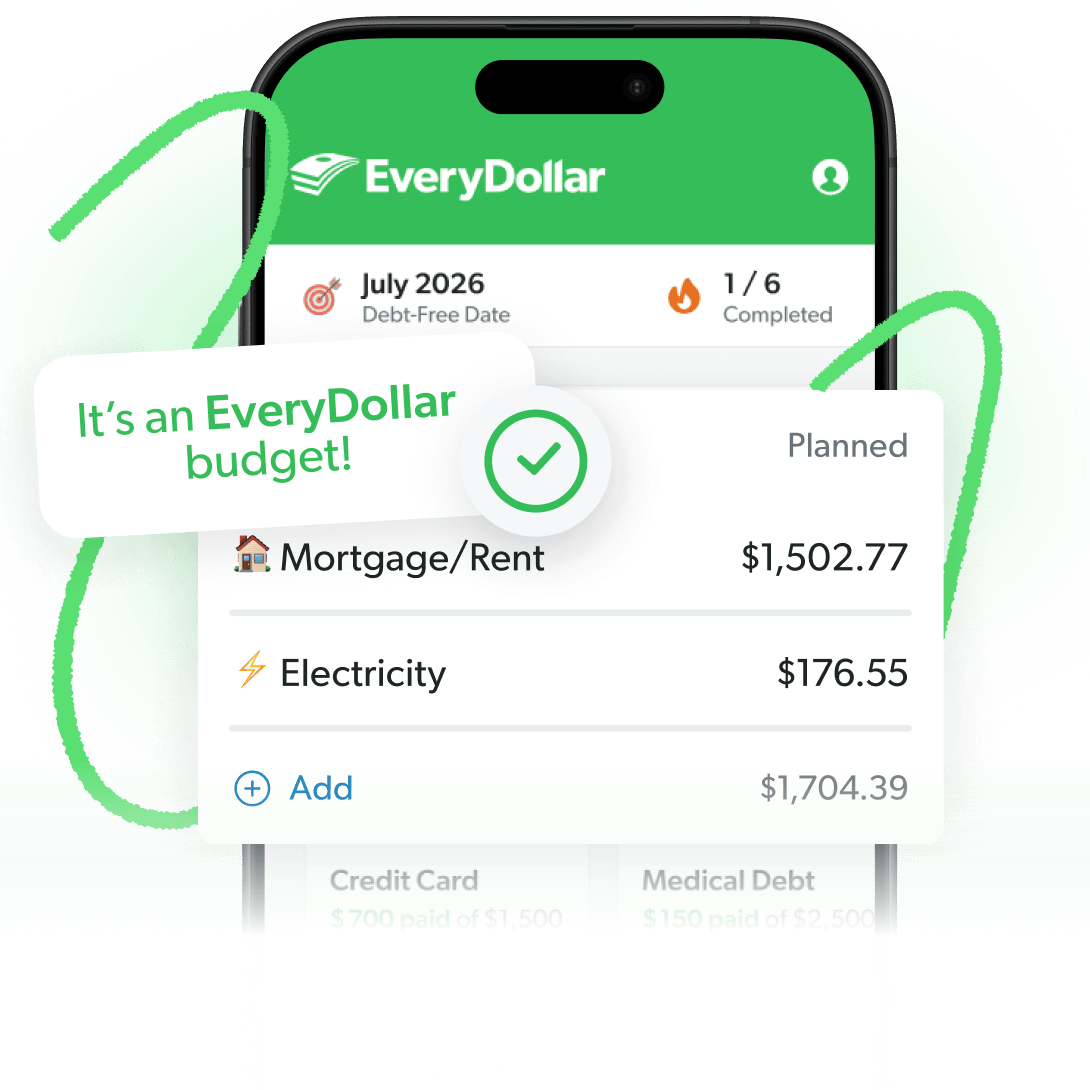
Here are the things I love most about EveryDollar. First, it’s set up to use the zero-based budgeting method. When you reach a zero-based budget, you see “It’s an EveryDollar budget” at the top of the app. If you’re off, it tells you exactly what’s left to budget or how much you’re over. You can keep tweaking until you get to zero. That’s great guidance and affirmation while you’re budgeting. Love that.
The Budgeting App That Finds Hidden Margin
The EveryDollar budgeting app helps you find extra money every month so you can beat debt, build wealth, and make progress. Every. Day.
Next, EveryDollar encourages you to interact with your money. With the free version, you manually enter all your transactions. You can also upgrade to the premium version and have your transactions stream into your budget—but they won’t auto-categorize.
It’s super simple to go in, see your transactions that have already shown up, and drag and drop them into the right spot. Then you can see how much money you’ve got left in that budget line. Fantastic accountability, but also oh so simple. It’s the perfect balance.
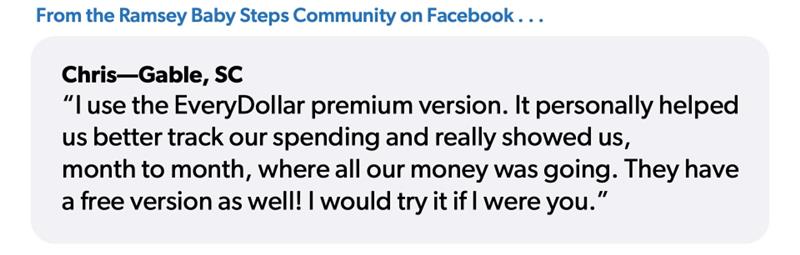
And I’m not the only one who sees the impact. Our friend Chris from the Ramsey Baby Steps Community on Facebook said, “I use the EveryDollar premium version. It personally helped us better track our spending and really showed us month to month where all of our money was going. They have a free version as well! I would try it if I were you.”
 One of the biggest complaints about EveryDollar is the cost of the premium version. And you guys, I get it. If you know me, you know I love a good deal—so if I’m going to spend my money, I want to know it’s worth it.
First I want to remind you that the free version of EveryDollar is great. Really. If you want a free app for zero-based budgeting to help you stay in control of your money, use this version!
And if you want an upgraded experience, all the good stuff that comes with the paid version of EveryDollar makes it so worth the cost.
You’ll get the classic features—like bank connectivity and transaction streaming—that are some of my personal favorites. You also can see custom budget reports right there in the app to compare how your spending habits line up with your money goals. It’s pretty eye-opening sometimes.
But that’s not all. Set reminders and get push notifications a few days before a bill or payment is due. Jump in on live Q&As with professional financial coaches and other budgeters just like you. See your current and projected net worth. Build better money habits with simple daily lessons. All inside the app.
One of the most powerful newer tools is the margin finder. It helps you spot areas where you’re overspending so you can free up extra money in your budget—sometimes a lot more than you’d expect. Some EveryDollar users have even found over $3,000 in margin in about 15 minutes just by getting a clear picture of where their money is going.
EveryDollar also gives you a more personalized plan with its financial roadmap feature. You can map out big goals, like becoming debt-free or building wealth, and see a timeline for when you’ll hit each milestone. And as your numbers change, your plan updates right along with you.
And finally, with paycheck planning, you can build your budget around when you get paid and when expenses are due—so you aren’t worried about running out of money between paychecks.
Yes, EveryDollar is the Ramsey Solutions budgeting app, so I’m going to sound a little biased. But that’s because it was built on the principles we’ve been teaching for over 30 years and gives you access to all the things we know will help you win with money!
I love EveryDollar because it lines up with what I teach about money, gives you options (free vs. paid with all those extras), and puts you in the driver’s seat of your whole financial future.
While coupon apps that help you save on everyday purchases can be a nice bonus, budgeting is how you stay in control of your money. And that’s what I want for you. No more wondering where your money is going. Just a clear, intentional plan. That’s how you’ll go from where you are right now to where you want to be.
How Do Budgeting Apps Compare Side by Side?
Here’s a quick side-by-side look at how these budgeting apps compare:
|
Budgeting Apps Comparison Chart |
|||||||
|
YNAB |
Simplifi |
PocketGuard |
Goodbudget |
Monarch |
Rocket Money |
EveryDollar |
|
|
Free version |
|
✓ |
✓ |
✓ |
|||
|
Customizable budgets and categories |
$ |
$ |
$ |
✓ |
$ |
$ |
✓ |
|
Unlimited budget categories |
$ |
$ |
$ |
$ |
$ |
✓ |
|
|
Budget reports |
$ |
$ |
✓ |
✓ |
$ |
$ |
$ |
|
Bank connection |
$ |
$ |
✓ |
$ |
✓ |
$ |
|
|
Transactions automatically stream into budget |
$ |
$ |
✓ |
$ |
✓ |
$ |
|
|
Transactions automatically categorized |
$ |
$ |
✓ |
$ |
✓ |
||
|
Ability to split transactions |
$ |
$ |
✓ |
✓ |
$ |
$ |
✓ |
|
Net worth tracking or calculators |
$ |
$ |
$ |
$ |
|||
|
Customer support |
$ |
$ |
✓ |
$ |
$ |
✓ |
✓ |
|
Money goal tracking |
$ |
$ |
✓ |
$ |
$ |
$ |
$ |
|
Live Q&As with financial coaches |
$ |
$ |
|||||
✓ = free and paid feature
$ = paid feature only
What’s the Best Budgeting App for You?
The best budgeting app is the one that helps you be consistent, stay engaged, and actually follow a plan for your money.
If you want to take control of your spending and make real progress toward your goals, a zero-based budgeting app like EveryDollar is a great place to start.
EveryDollar does more than just help you track your spending and manage your money—it actually helps you find more margin every month! Just download the app, answer a few questions, and we’ll build you a plan to free up thousands in margin to put toward your goals.
You can do this, you guys. Get started budgeting today!
Next Steps
- Download the EveryDollar app and build your zero-based budget.
- Track every transaction and stay engaged with your spending.
- Upgrade to premium to connect your bank and plan your budget around your paychecks.
Frequently Asked Questions
-
What is the best budgeting app?
-
The best budgeting app is one that helps you stay engaged with your money and follow a plan. Apps like EveryDollar use zero-based budgeting to keep you in control, while others focus more on automation.
-
Are budgeting apps worth it?
-
Yes—if you actually use them. A good budgeting app makes it easier to track spending, stay consistent, and adjust your plan throughout the month.
-
What is zero-based budgeting?
-
Zero-based budgeting is when you give every dollar a job before the month begins so your income minus expenses equals zero.
-
Are free budgeting apps good enough?
-
They can be. A strong free app (like EveryDollar) gives you everything you need to build and follow a budget. Paid versions usually add convenience features like bank syncing.
Get Weekly Insights Delivered Straight to Your Inbox
Did you find this article helpful? Share it!

About the author
Rachel Cruze

Get proven Ramsey answers fast.