
Budget Spreadsheets vs. EveryDollar: Which Is the Better Way to Budget?
 By
By 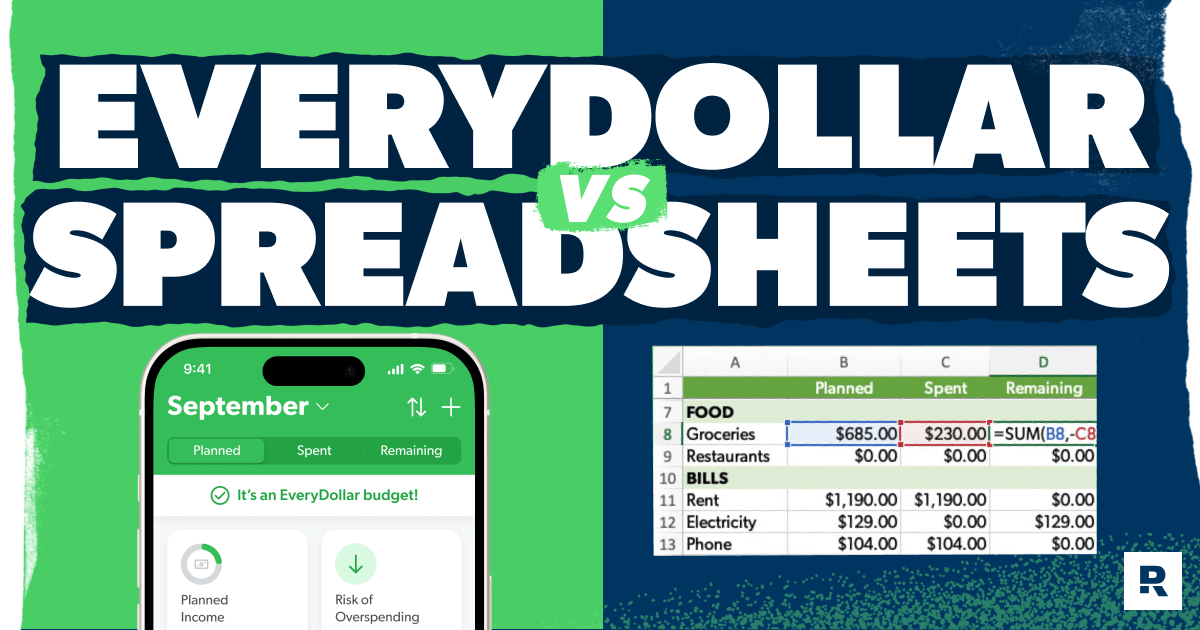
Key Takeaways
- A budget spreadsheet gives you total control over every formula and category—if you're willing to build and maintain it yourself.
- A spreadsheet only stays current when you go in and update it, while EveryDollar lets you track spending on the go.
- Married couples can budget together in EveryDollar so both spouses are working from the same plan and making money decisions together.
- EveryDollar premium helps you manage complex finances with a built-in net worth tracker and long-term planning tools—without the complicated spreadsheet formulas.
- You can start budgeting with EveryDollar in five steps: list your income, list your expenses, subtract your expenses from your income, track your spending, and make a new budget before each month begins.
We. Love. Budgeting. And we will never stop shouting its greatness from the rooftops. Why?
A budget is a plan for your money—plain and simple. It's you telling your money where to go so you stop wondering where it went. It's the first step to making any money goal a reality. It's how you truly take control of your finances.
Quick Answer
A budget spreadsheet offers total customization, but a budgeting app like EveryDollar is better for most people because it makes tracking spending on the go simple. While spreadsheets require you to set up formulas yourself, EveryDollar does the math for you and helps you find more margin to put toward your money goals.So, which one makes the most sense for you? Let’s break it down.
What Are the Benefits of Using a Budget Spreadsheet?
A budget spreadsheet gives you complete control over how you organize and track your money. If you enjoy working with spreadsheets, you can customize just about everything and build complicated budgets, with a tool that's been around for decades. Plus, you can do it all for free.
Super Customizable
The possibilities for customizing your spreadsheet budget feel nearly endless. A spot for every budget category and line you could ever dream up? Splendid. You just create a new cell to hold it.
You can also make the budget spreadsheet work how you like—as long as you've got a solid understanding of the inner workings, of course.
Useful for Complicated Budgets
If you’ve got a complicated budget and know your way around a spreadsheet, you can build a system that handles just about anything you throw at it.
Graphs. Charts. Calculators. Formulas. If you know how to work the Excel magic, you can unlock a whole new budgeting world.
Timeless
Spreadsheets have been around for decades, so you don’t have to worry about learning some brand-new budgeting technology every five minutes. Plus, as long as you properly save and back up your files, you can hang on to your budget history for years. And even if the company behind your spreadsheet program shuts down, you'll still have your budget files saved.
Free
You can build a budget spreadsheet without spending a dime. And free is a beautiful thing when you're trying to save money (which is something budgeters do best).
As you're learning how to make a budget spreadsheet, you can buy spreadsheet templates or programs to give you a starting point. But you can also just create your own 100% free version.
All that customization comes with a catch though. You're responsible for setting up your spreadsheet and keeping everything updated. And if you're spending more time managing your spreadsheet than managing your money, budgeting burnout might be right around the corner.
Why Is a Budgeting App Better Than a Spreadsheet?
For most people, a budgeting app is the better choice because it takes less work to set up and makes your budget easier to use in everyday life. Instead of building formulas and remembering to update a file, you can focus on what actually matters: making a plan for your money and sticking to it.
Simplicity of Budgeting
You don’t need to be an Excel wizard to make a budget that works. EveryDollar walks you through creating your budget so you can spend less time messing with formulas and more time telling your money what to do.
Yes, spreadsheets have their budget benefits—if you know how to work all the formulas and set up the math systems correctly. But if you're new to budgeting, or you aren't super tech savvy, the EveryDollar budgeting app makes it so simple to create your first budget and keep up with every monthly budget after that.
Also, if you are super tech savvy but married to someone who isn't, EveryDollar helps you both budget together so one person isn't carrying the load or making all the financial decisions. Because there's no “I” in budget, after all. (You can spell-check us on that one.)
Here's a Tip
It takes about three months for a new budget to feel normal. Don't quit after month one. The habit gets easier every time you do it.
Ease of Tracking Your Spending
A budgeting app makes tracking expenses easier because it’s built for exactly that. Instead of opening a spreadsheet, finding the right row or cell, and updating the numbers yourself, EveryDollar gives you a simple place to track spending as you go.
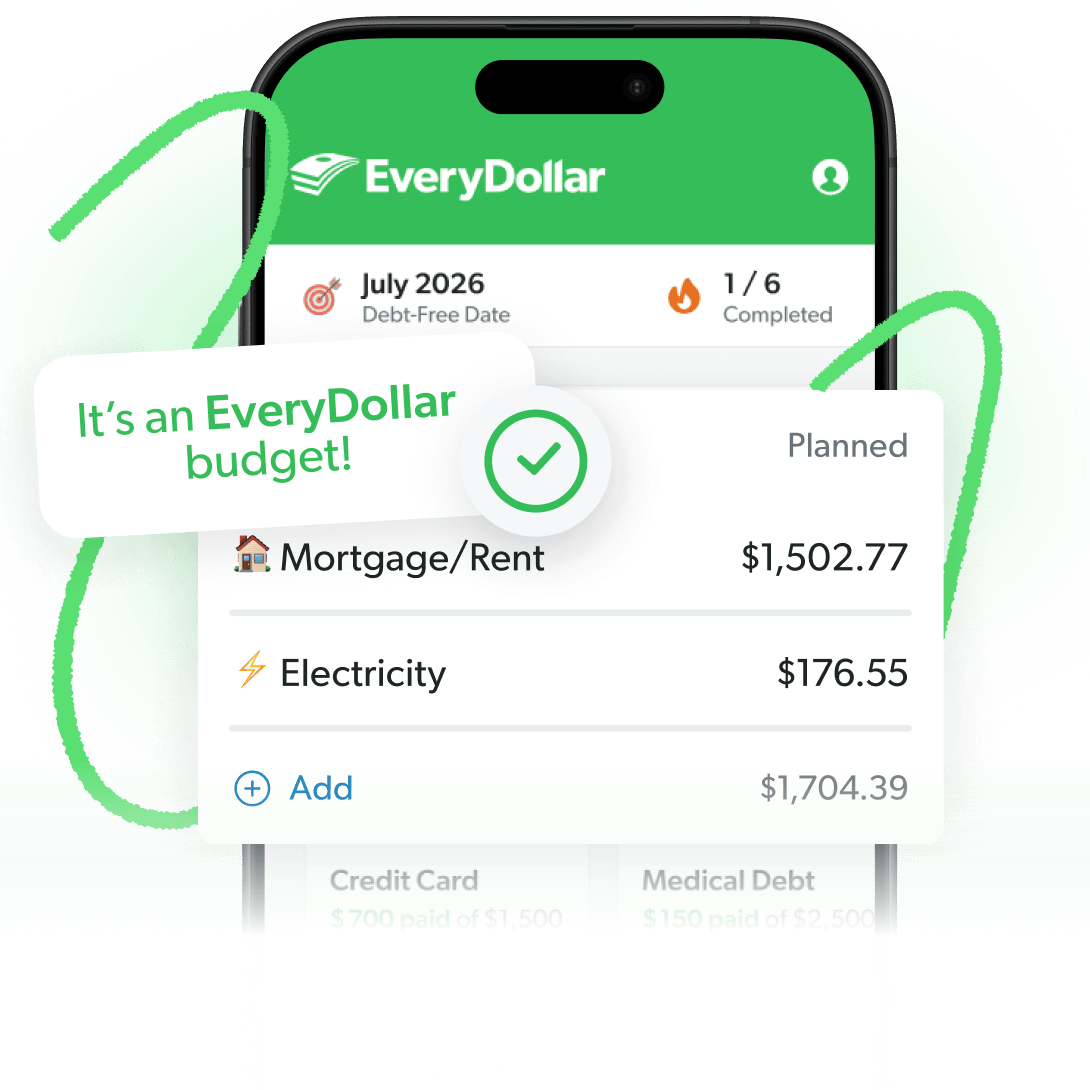
You can track receipts in the grocery store parking lot or right after clicking “purchase” online. And because your budget updates as you track, you can quickly see how much you have left in a budget line before you spend again.
P.S. With EveryDollar, you can do this manually in the free version or upgrade to the premium version and have transactions automatically stream into your budget. All you have to do is drag and drop them to the right spot.
And that's exactly what Donnie, a member of THE Ramsey Baby Steps Community Facebook group, loves about EveryDollar premium. He shared:
“My wife and I went from the free version to paying for it, and it definitely helps make it easier to keep up with our budget every month. We can link our bank account to it and sort the transactions through the app instead of manually putting them in.”
Instant Accountability
Keeping your budget on your phone means the numbers are right there when you need to make a spending decision. No guessing. No wondering if you have enough left in your restaurants line. Just pull up the budget and check.
With your budget in your back pocket, you've got accountability walking around with you. This isn't restricting. It's empowering! You've got money goals of all sizes to reach—and remember, the budget is how you get there.
That accountability is especially helpful when married couples use the same EveryDollar budget. You’re both looking at the same plan and working toward the same goals.
For John and his wife, getting on a budget with EveryDollar was a turning point:
“This app SAVED my wife and I's finances. Before budgeting, we were deep in debt with barely any emergency fund and savings. Then . . . we had the ‘I'm sick and tired of being sick and tired of being broke’ moment. We decided to start budgeting using this app and followed Dave Ramsey's Baby Steps. Then after almost two years, we paid off all our debt, fully funded our 6-month emergency fund, saved money in all our sinking funds, then started saving in our 401(k). Praise God for Dave Ramsey's life-changing financial teachings!”
Find Margin You Didn’t Know You Had With EveryDollar
The EveryDollar budgeting app helps you find extra money every month so you can beat debt, build wealth, and make progress. Every. Day.
Features Aplenty
EveryDollar has the features you need to build your budget, track your spending, and keep your money goals moving forward. And whether you stick with the free version or upgrade to premium, you’ve got plenty to work with.
Free Budget Features
- Create monthly budgets
- Access your budget on your computer, phone or tablet
- Customize budget categories and lines for all your monthly expenses (yep, it's customizable too!)
- Create unlimited budget categories and lines
- Set up sinking funds and track savings goals
- Track debt-payoff progress
- Split transactions
- Set due dates for bills
- Get personalized action steps to free up margin
- Go through bite-sized lessons to build better money habits
- Talk to a live human being for customer support
Premium Budget Features
Includes all the free features, plus:
- Connect to multiple financial accounts in one app
- See custom budget reports
- Export transaction data
- Join live coaching sessions with professional financial coaches
- Automatically stream your transactions into your budget
- Get tracking recommendations for your transactions
- Set due date reminders for your bills
- Calculate your current and projected net worth
- Plan your spending based on when you get paid and when things are due with paycheck planning
- Set big picture goals and see a timeline of when you'll hit them with financial roadmap
All those features are there to help you create a monthly budget that reflects your real life, priorities and goals—and then actually keep up with it. They'll help you build the habits you need to make your money dreams a reality.
Because it always comes back to the habits. And the on-the-go nature of budgeting with EveryDollar makes building a budgeting habit so much easier.
Ease of Managing Complex Finances and Goals
EveryDollar premium can handle more complex financial needs without making you build a bunch of spreadsheet formulas. Net worth tracking shows your current and projected net worth, while financial roadmap helps you see when you're on track to reach your big money goals.
So, if you've been thinking you need a spreadsheet to track the big picture stuff, think again. With EveryDollar, you can manage your monthly budget and plan for your long-term money goals all in one place.
Free to Use
You don’t have to pay to start budgeting with EveryDollar. The free version gives you the core tools you need to create a monthly budget and track your spending.
And with all the awesome free features we listed above, you can start making a plan for your money without adding another expense to your budget. We like the sound of that.
Stability
EveryDollar was created by Ramsey Solutions around something we've been teaching for decades: You need a budget. It's part of the DNA of this place. We aren't going to sell our app to another business or shut our doors. We aren't going anywhere!
Budgeting App vs. Spreadsheet: Side by Side
Side by side, the biggest difference is simple: A spreadsheet gives you more DIY control, while EveryDollar gives you more built-in convenience. Here’s another look at how the two stack up:
|
Spreadsheet |
EveryDollar |
|
|
Cost |
Can be free if you build it yourself |
Free version available—premium available for a fee |
|
Setup |
You build the categories, formulas and layout yourself |
Built for budgeting, so you can start without creating formulas |
|
Customization |
Total control over every category and formula |
Customizable budget categories and lines |
|
Mobile access |
Depends on the spreadsheet program you use |
Access your budget on your phone, tablet or computer |
|
Transaction tracking |
Typically requires manual entry or your own setup |
Manual in the free version—automatic transaction streaming available with premium |
|
Budgeting together |
Requires sharing and maintaining the same file |
Couples can work from the same EveryDollar budget |
|
Long-term planning |
Possible if you build your own net worth tracker and goal timeline |
Premium includes net worth tracking and financial roadmap |
|
Longevity |
Spreadsheets have been around for decades—plus, you can keep your files even if your spreadsheet provider shuts down, as long as they're properly saved and backed up |
Created by Ramsey Solutions, a company that's been teaching budgeting for decades—plus, you can export and save your budget files |
How Do I Start Budgeting Without a Spreadsheet?
You can start budgeting with EveryDollar in five simple steps: List your income, plan your expenses, subtract your expenses from your income, track your spending, and create a new budget before each month begins.
And if you've already been budgeting with a spreadsheet, you don't have to start from scratch. Just copy your existing budget lines and planned amounts into EveryDollar, and you're ready to go.
Step 1: List Your Income
Start by entering your monthly take-home pay at the top of your EveryDollar budget. Include everything you expect to bring in this month, whether that's your regular paycheck, money from a side hustle, or any other income.
If you're not sure how much you typically bring home, look back at your bank statements from the last few months to get a better idea.
Here's a Tip
If you're paid on commission or have an irregular income, estimate based on your lowest-earning month and adjust once you get paid. That way, you won't overspend money you only hoped to make.
Step 2: List Your Expenses
Next, list everything you plan to spend money on this month. Start with giving and saving (depending on what Baby Step you're on). Then cover your Four Walls: food, utilities, shelter and transportation.
Once you've covered those essentials, move on to other necessities like insurance and childcare. Then add the fun stuff, like restaurants, date nights and entertainment.
Here's a Tip
Don't forget seasonal expenses. Some costs only show up in certain months, like holiday gifts, car registration or back-to-school shopping. Plan for them ahead of time with a sinking fund so they won't catch you off guard.
Step 3: Subtract Your Expenses From Your Income
A zero-based budget means your income minus your expenses equals zero. In other words, every dollar gets a job before the month begins.
So, if you bring home $4,000, everything you give, save, spend and put toward debt should add up to $4,000.
EveryDollar does the subtraction for you and shows you how much money you have left to budget. If your expenses are higher than your income, you'll need to cut back or find a way to bring in more money. And if you have money left over, give those dollars a job too! Put them toward your current Baby Step or another budget line.
Step 4: Track Your Spending (All Month Long)
Once you've made your budget, it's time to track your spending. Every time you spend money, add that transaction to your budget. Groceries, gas, even the cookies you bought from the cute troop outside the hardware store.
As you track, EveryDollar shows how much you've spent in each category and how much you have left. You can even log a purchase right in the checkout line instead of waiting until you're back at a computer.
With the free version, you enter transactions yourself. With premium, transactions automatically stream in from your connected bank accounts, and you can drag and drop them into the right budget lines.
Step 5: Make a New Budget (Before the Month Begins)
Make a new budget every month, before the month begins. Most of your expenses will look similar, but no two months are exactly the same.
Maybe you've got a birthday coming up or your car registration is due. Whatever's on the calendar, make sure you plan for it ahead of time.
And that's it! You've just made a budget without a calculator, a formula or a spreadsheet.
Which Should I Pick?
For most people, EveryDollar is the better choice because it gives you the structure of a zero-based budget without making you build the whole system yourself. But if you genuinely love spreadsheets and want complete control over your formulas and setup, go for it. The important thing is that you actually make a budget and use it.
Still torn? Ask yourself these three questions:
- Do you want to spend less time keeping up with your budget? EveryDollar is built to make tracking simple so you can quickly log spending and see what’s left in each category.
- Do you want to budget without building formulas yourself? EveryDollar handles the budgeting setup so you can focus on giving every dollar a job.
- Do you know Excel inside and out and actually enjoy building your own system? Then a spreadsheet might be worth the extra work.
At the end of the day, the best budgeting tool is the one you'll actually use. But if you want something that makes zero-based budgeting simple from day one, EveryDollar's ready to go.
Next Steps
- Download EveryDollar for free.
- Add your monthly income and expenses to give every dollar a job.
- Track your first transaction today and keep checking in with your budget as you spend.
Frequently Asked Questions
-
Is EveryDollar safer than a budget spreadsheet?
-
EveryDollar has more built-in security features than a typical spreadsheet file. EveryDollar uses multiple layers of security and encryption, offers two-factor authentication, and works with trusted providers when you connect your bank accounts. Spreadsheets can be secure too, depending on how you store and protect your files.
-
Can I import my Excel budget into EveryDollar?
-
You can't directly import an Excel spreadsheet into EveryDollar, but making the switch is pretty simple. Just copy your budget categories and planned amounts into the app. And if you've already been using a zero-based budget, the transition will be even easier! You'll still give every dollar a job, but EveryDollar will handle the math for you.
-
Do I use an app or a spreadsheet to track daily expenses?
-
A budgeting app like EveryDollar makes tracking daily expenses easier because you can update your budget right from your phone. Sure, you can track spending in a spreadsheet, but that usually takes more manual work. With EveryDollar, you can log purchases on the go and see how much you have left in each budget category.
-
Is EveryDollar good for complex budgets or long-term planning?
-
Yes! EveryDollar premium has features that help you manage more complex finances and plan ahead. Net worth tracking shows your current and projected net worth, while financial roadmap helps you see when you're on track to reach your big money goals. And both features are built right into the same app you use for your monthly budget.
-
Do I really need a budgeting app if I'm good at Excel?
-
Nope. If your spreadsheet works and you consistently use it, you don't need a budgeting app. But EveryDollar can make budgeting more convenient because it’s already built specifically for zero-based budgeting and you can do it right on your phone.
So, if you love Excel, keep rocking those formulas. But if maintaining the spreadsheet starts feeling like more work than creating the budget, EveryDollar can simplify the process.
Get Weekly Insights Delivered Straight to Your Inbox
Did you find this article helpful? Share it!

About the author
Ramsey Solutions

Get proven Ramsey answers fast.