
Free Budget Templates: Three Easy Ways to Start Your Budget
 By
By
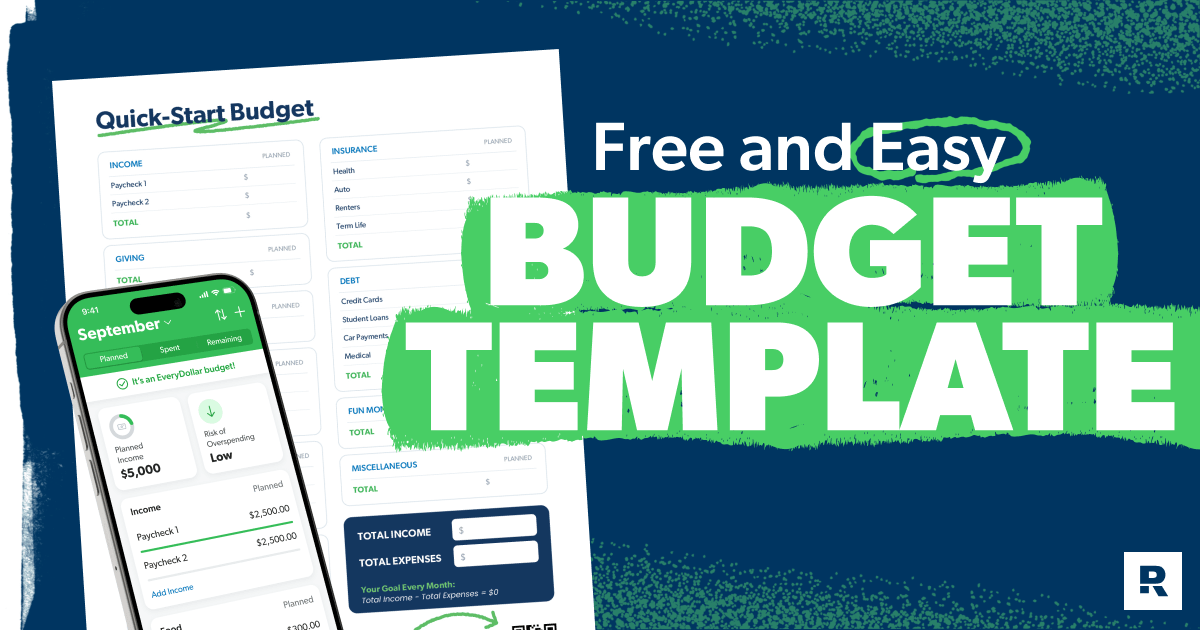
You work hard for your money. But if you don’t tell it where to go, you’ll always wonder where it went. That’s the honest truth about budgeting—and it’s why so many people are looking for the best free budget templates. Because a budget isn’t a cage. It’s a plan—one that puts you in control of your money instead of the other way around.
If you’ve never budgeted before, or if it’s been a while, jumping in can feel overwhelming. But we’ve got you covered with three free ways to get started: a full budgeting app, an online budget calculator, or a printable PDF. Pick the one that fits where you are right now, and let’s get started!
Key Takeaways
With Ramsey's free budget templates, you'll give every dollar of your income a job—giving, saving or spending—before the month begins. This is the proven zero-based budgeting method, and it's the most effective way to take control of your money. Use our app, online calculator or a printable PDF to create your own zero-based budget.
- Zero-based budgeting means income minus expenses equals zero. Every dollar is assigned a job before the month starts.
- The best free budget template is the one you’ll use. Start where you are. You can always level up later.
- No matter which of the three budget templates you prefer, they are all designed to help you win with money.
Three Free Budget Templates to Get You Started
Budget Template 1: EveryDollar
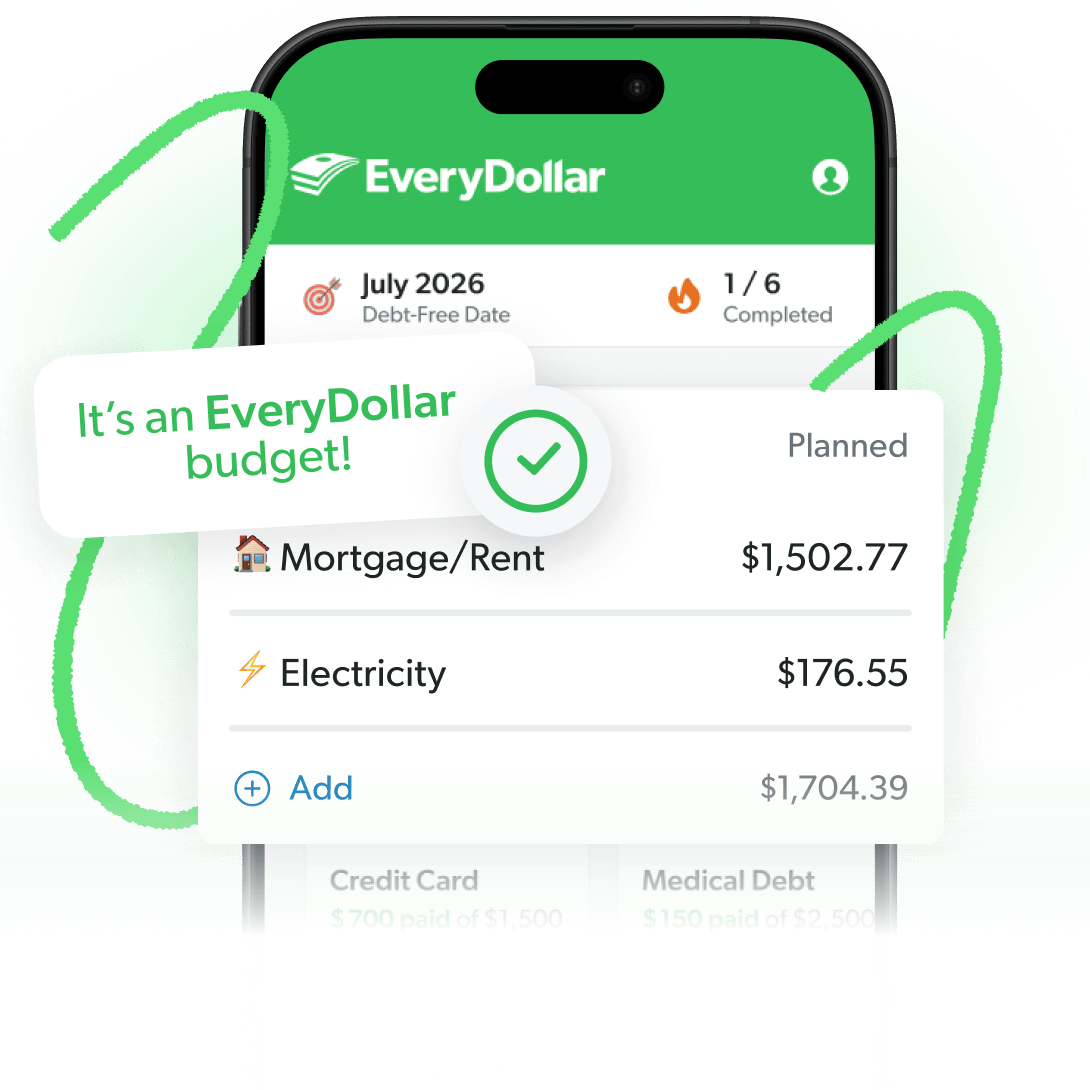
If you’re ready to track your spending and make new budgets each month, EveryDollar is your best option. It’s Ramsey’s own free budgeting app—available on iOS, Android and web—and it sets you up with a budget template you can finish in just 15 minutes.
What makes EveryDollar different from a PDF or a budget calculator? It lets you easily adjust your monthly budgets at any time, and you can track transactions against your budget all month long. Plus, your budget saves and carries over month to month so you’re not starting from scratch every time.
The free plan gives you everything you need to build and track your budget. But if you want to make budgeting even easier, you can get the premium plan. It lets you connect your bank and automatically stream transactions straight to your budget.
And the best part of EveryDollar is that it’s built around Dave Ramsey’s 7 Baby Steps. Your budget evolves with your goals—whether you’re paying off debt, building your emergency fund, or investing for retirement.
How to Get Started With EveryDollar
- Download the free EveryDollar app.
- Enter your monthly take-home pay (not your gross salary—use what actually hits your bank account).
- Add your expenses, category by category, until income minus expenses equals zero.
- Track your transactions throughout the month and adjust as life happens.
Template 2: Budget Calculator
Our budget calculator is a free tool that generates a zero-based budget estimate from your income in 60 seconds.
Just enter your take-home pay, and the calculator will build a zero-based budget for you.
Keep in mind that the calculator is a snapshot, not a full month-to-month tracking system. It’s great for a first look or a monthly reset, but EveryDollar is the best tool for ongoing tracking.
How to Use the Budget Calculator
- Enter your monthly take-home pay in the calculator.
- Review the zero-based budget it generates and adjust any category to match your actual expenses.
- When you’re ready to track your spending against that budget all month long, you can build the same budget template in EveryDollar—for free!
Template 3: Quick-Start Budget PDF
Some people have an easier time budgeting on paper. If that’s you, our Quick-Start Budget PDF might be the right tool.
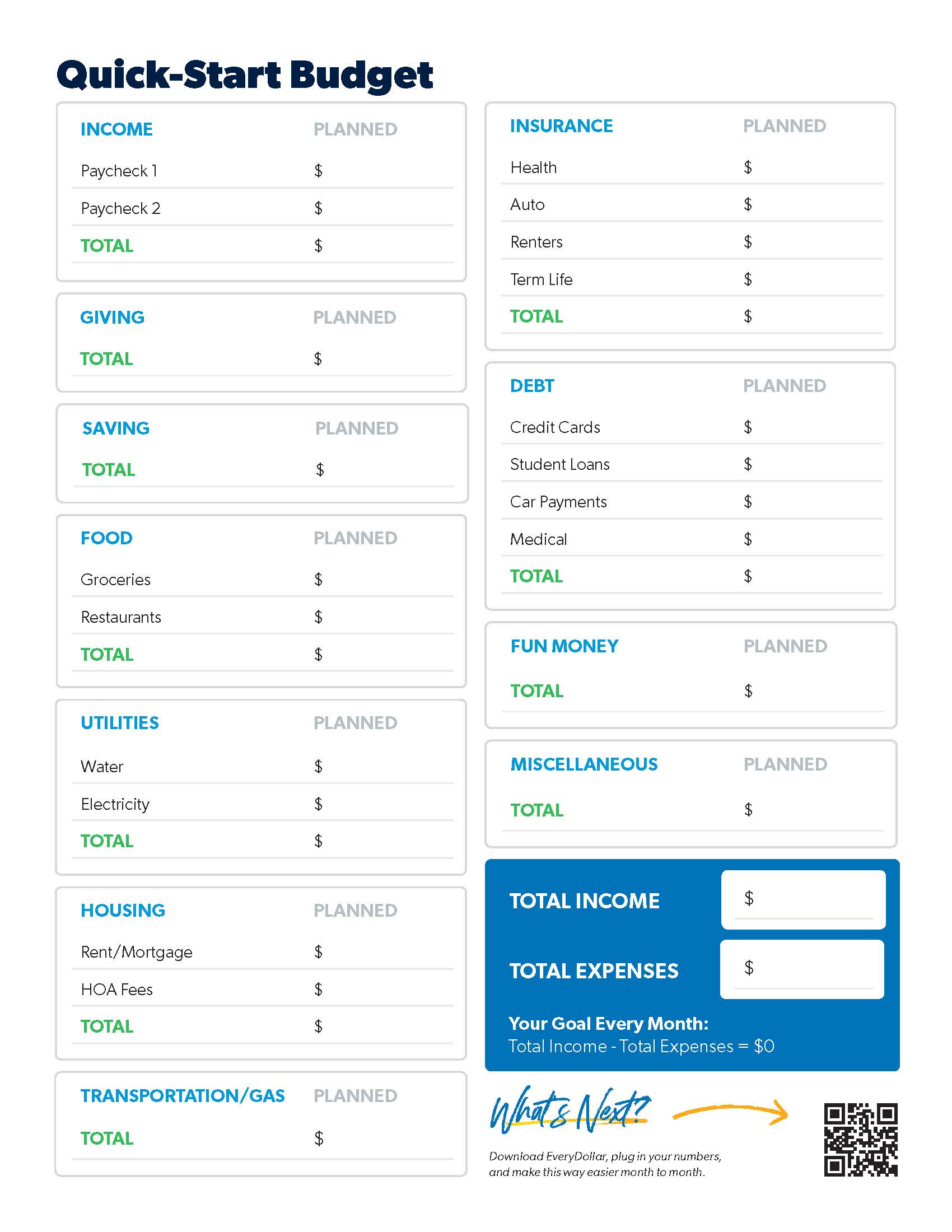
It’s a free one-page printable budget sheet with guided categories built around the zero-based method. No technology required, no account to set up. Just download, print and start writing down your numbers. It’s visual, tactile and, best of all, beginner friendly!
This free monthly budget template has the main categories you’ll want in your monthly budget:
- Income tracking section for regular paychecks and side income
- Pre-organized expense categories (housing, food, utilities, transportation, insurance, debt)
- Planned spending columns
- Miscellaneous category for unexpected expenses
- Simple math: Income – Expenses = $0
How to Use the Quick-Start Budget PDF
- Download the PDF and enter your numbers into the open fields, or print the document to do your budget manually.
- Grab your last 2–3 bank statements so you have real numbers to work with.
- Fill in your monthly income, then list every expense item until income minus expenses equals zero.
- Track your spending by hand throughout the month—or take it digital with EveryDollar!
Once you’ve got your numbers on paper, entering them into EveryDollar only takes about 15 minutes, and it gives you a digital version you can track all month.
How to Get Started on Your Budget
1. List your income.
No matter what tool you’re using, start your budget by listing all the money coming in this month. This is always the first thing you’ll do. Here are some quick callouts for this step:
- Include regular paychecks and anything extra, like that side hustle money.
- If you’re married and both of you work, include both incomes.
- If you’ve got an irregular income, look at what you’ve made the last few months and use the lowest amount as this month’s planned income. You can always adjust if you make more. (We’ve got a special irregular income budget template.)
Now, for the fun part. Add it all up. The total is how much money you have to work with this month. (Remember: You can always bump up your income if it changes.)
2. List your expenses.
Now that you’ve planned for what’s coming in, you need to plan for what’s going out—your giving, saving (depending on what Baby Step you’re on), and spending.
In the budget, giving comes before anything else. Why? Because real financial peace doesn’t happen until you give back. You can give to your church or an organization that you like, but give something and take it right off the top. You won’t regret it!
Now, there is an exception to this. If you’re in crisis and cannot cover your Four Walls—you should work to take care of those before anything else. But normally, the Four Walls can be covered with a few budget tweaks.
Next comes saving. If you have specific money goals and don’t have debt, make sure saving is a priority. Let’s say you want to make a big purchase (like a car or a down payment on a house) and you’re putting a little bit away every month. Make sure you prioritize that goal above nonessential expenses.
And finally, plan your spending. When you’re listing your monthly expenses, work through them in this order:
- Your Four Walls—food, utilities, shelter and transportation (the Four Walls are the essentials that must be covered first)
- Other essentials—like insurance and debt payments
- Extras—like fun money and that helpful miscellaneous line
3. Subtract expenses from your income.
Once all your expenses are listed, your income minus your expenses should equal zero. That’s the whole idea behind the zero-based budget. Every dollar gets a job before the month begins.
No, this does not mean you let your bank account reach zero. Leave a little buffer in there of about $100–300.
What it does mean is that you’re giving all your money a job—paying the bills and moving forward on your money goals. Because you work hard for your money, people. And it should work hard for you. Every. Single. Dollar.
What if you don’t hit zero?
- Got money left over? Celebrate! This is great! Then put those dollars toward your current Baby Step.
- Got a negative number? Pause. Don’t freak out. It’ll be okay. You just need to cut spending (or increase your income!) until you get to zero.
4. Track your transactions (all month long).
How do you stay on top of your spending? Track. Your. Transactions. Whether you’re logging them by hand or having EveryDollar stream them automatically, this is how you keep an eye on your progress and keep from overspending.
5. Make a new budget (before the month begins).
Your budget won’t change too much from month to month—but no two months are exactly the same. So create a new budget every single month. Don’t forget month-specific expenses (like holidays or seasonal purchases). And always budget before the month starts so you can get ahead of what’s coming your way.
Recommended Budget Percentages by Category
These are Ramsey’s recommended spending ranges for each budget category based on your monthly take-home pay. Use them as a starting point, then adjust to fit your life and your current Baby Step.
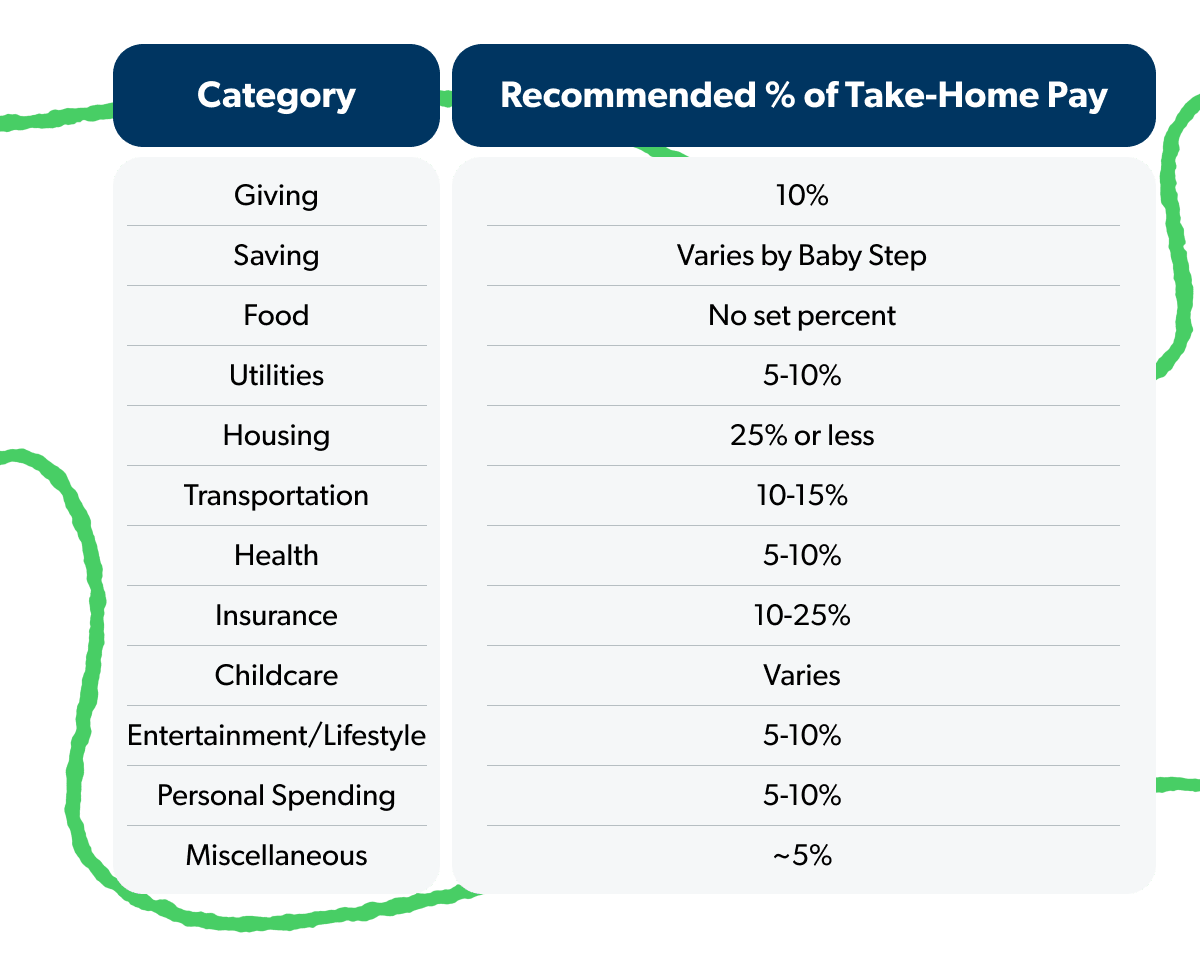
These percentages are meant to be a starting point. Your budget will look a little different depending on where you live, what Baby Step you’re on, and what’s going on in your life right now. For example, if you’re on Baby Step 2 and paying off debt, you might temporarily cut entertainment and personal spending to throw more at those balances. Or if you’re in a high cost-of-living area, housing might take up a bigger slice.
The goal is to give every dollar a job so your money is working toward what matters most to you. Adjust the categories until income minus expenses equals zero, and you’ve got yourself a budget.
Next Steps
- Gather your last 2–3 bank statements so you know your real monthly income and spending.
- Choose your template: EveryDollar for ongoing tracking, the budget calculator for a quick snapshot, or the PDF if you’d rather start on paper.
- Build your zero-based budget (income minus expenses equals zero).
- Track your spending all month long and make a new budget before next month begins.
- See where you are on the 7 Baby Steps and start working your way toward the next step.
-
Who should use a budget template?
-
Any of Ramsey’s free budget options work for:
- Budgeting beginners who want a simple, guided approach
- People with an irregular income—freelancers, gig workers, commission-based earners
- Couples managing household finances together
- Anyone paying off debt who is just getting into the debt snowball
- Savers working toward specific financial goals
-
What is the best free budget template for beginners?
-
A zero-based budget template is ideal for beginners because it provides clear categories and a simple formula: income minus expenses equals zero. Our free printable worksheet includes step-by-step instructions.
-
How do I use a zero-based budget template?
-
- List all your monthly income.
- List all your monthly expenses by category, including your giving and savings.
- Subtract expenses from income, adjusting your categories until you reach zero.
- Track your actual spending throughout the month.
-
What should I include in a budget template?
-
A complete budget template should include: your total monthly income, essential expenses (housing, food, utilities, transportation), debt payments, savings goals, insurance and nonessential (aka fun money) spending categories.
-
Is a printable budget template better than a budgeting app?
-
Printable budget templates are great for beginners or if you prefer to physically write things down. However, many people start with a template and eventually transition to an app like EveryDollar. Budgeting apps offer additional tools like automatic transaction tracking and real-time updates to make keeping up a budget easier.
-
What’s the best budget template for couples?
-
One budget for both incomes. List both paychecks together, then plan your expenses as a team—before the month begins. Couples who budget together before the month starts will fight about money a lot less and make progress a lot faster. Any of Ramsey’s three free budget templates work for couples—just make sure both of you are in the room when you fill it out.
Get Weekly Insights Delivered Straight to Your Inbox
Did you find this article helpful? Share it!

About the author
Ramsey Solutions