
What Is Cybersecurity?
 By
By 
Key Takeaways
- Cybersecurity is the practice of protecting computer systems, networks, connections and devices from attacks and unauthorized access.
- In today’s digital world, your hard-earned money is at risk without good cybersecurity.
- As cloud-based computing and AI use become more common, attackers have more ways to target your money and personal information.
- Cybersecurity best practices include installing antivirus software, using a password manager and VPN, limiting what you share online, monitoring your accounts, and putting a good disaster recovery plan in place.
Cybersecurity is a big word that covers all the things people do to protect devices, accounts and data—anything connected to the internet or a network—from attacks and unauthorized access.
So, what does this have to do with you and your personal finances? Quite a lot, actually—unless you keep your life savings in gold bars under your bed. The world is digital and increasingly cloud-based—and that includes banks, the store you just bought a croissant from, and even the government. That means your wealth is vulnerable to cybercrime.
While you can't control the whole internet, you can take steps to protect your money and identity. Here's what you need to know before you take action.
What Is Cybersecurity?
Cybersecurity is the umbrella term for the tools and habits that keep your money and personal information safe from online threats. It includes:
- Securing your data
- Protecting your phone, computer and other devices from being hacked
- Setting up defenses against cyberattacks
- Keeping your internet and other network connections secure—and much more
What Is a Cyberattack?
A cyberattack is a malicious attempt to breach, disrupt, damage or destroy your (or your organization’s) computer systems, networks or digital devices. The purpose of these attacks is often to steal sensitive data to get money—either through extortion, identity theft or fraud.
Why Is Cybersecurity Important to Your Personal Finances?
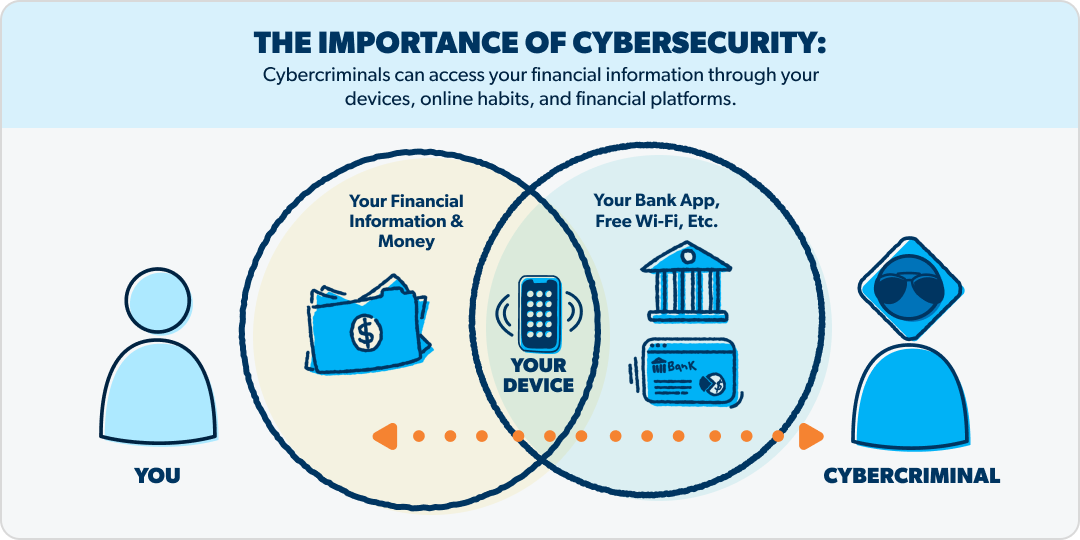
Cybersecurity might not be the first thing you think of when you’re trying to get your finances in shape. But it’s actually an essential part of keeping every dollar of your hard-earned wealth in your own wallet—because if cybercriminals infect your device with malware or guess your password, living and giving like no one else suddenly becomes picking up the pieces with no one else to help you.
Here are just some of the areas where your money is vulnerable without good cybersecurity:
- Your login details for email, banking apps, etc.: These are the main gateways to your finances.
- Your devices: Anything connected to the internet can be infected—including phones, computers, tablets and routers.
- Your habits: Connecting to unsecured Wi-Fi, clicking suspicious links, and using weak passwords can leave you wide open.
- Your financial platforms: Any investing or banking apps you use can be a target for cybercriminals.
Cybersecurity Myths
In another dimension and time, the son of a god came upon a cyborg holding a lovely maiden captive. Just kidding—not that kind of myth.
With such a complex topic, though, it’s easy to fall for some dangerous myths. Here are a few that might be lulling you into feeling safe:
Myth: A strong password is all I need.
Yes, a strong password is super helpful for keeping you safe, but it’s not going to protect you completely. It can still be stolen in a phishing scam, grabbed by malware, or exposed in a data breach.
Myth: Most cybersecurity risks are well known.
Unfortunately, they aren’t. New technologies keep developing, so the threat landscape keeps changing.
Myth: All cybersecurity vulnerabilities are covered.
Similar to the last myth, criminals are always looking for new weak spots to take advantage of. And as new technologies emerge, so do new chinks in the armor.
Don’t let a false sense of security turn into a true catastrophe. Make sure you know where you’re vulnerable.

What's your risk of identity theft?
Take this quiz to assess your risk.
Tech Trends Causing New Cyberthreats
Speaking of new technologies creating new threats, here are a few of the tech areas where new vulnerabilities are cropping up.
Cloud Computing and Multicloud Environments
Computing and storage resources that are reachable from anywhere instead of a physical device or location have led to new problems like:
- Fragmented security (different security tools and rules in different places)
- Identity access gaps (login credential holes that attackers can slip through)
- A larger, spread-out “surface” that requires protection
Distributed Work
Working remotely and using personal devices for work increases dependence on connected networks—and expands the cyber surface area that can be attacked.
The Internet of Things (IoT)
That's the growing list of connected smart devices in our modern world—phones, computers, cars and even appliances. This creates more gates attackers can sneak through.
Artificial Intelligence (AI)
This is the new frontier for cybercriminals. So far, the top threats are deepfakes and prompt injection attacks. Deep fakes are extremely convincing audio or videos that show someone saying or doing something they never did, while prompt injection attacks happen when bad actors craft (and use) a prompt that overrides a chatbot system’s safeguards and get it to release sensitive info.
Types of Cybersecurity Threats
Now let’s look at the specific threats that could wreak havoc on your finances. The full list of cybersecurity threats is long, so we’ve narrowed it down to the ones that pose a serious risk to you as an individual.
Malware
Malware, short for malicious software, is any software designed to cause harm. Common types include:
- Viruses—attach to legitimate programs and then damage or destroy your files
- Ransomware—scrambles your files, then demands payment to unscramble them
- Spyware—secretly tracks what you do to steal your passwords and other data
- Trojans—disguise themselves as legitimate software so hackers can get in and upload other malware
Many of these threats require action by you to let them in—like clicking a link or opening an attachment). But their prompts are designed to look legit, so it feels like something you should do.
Phishing and Social Engineering
Phishing is the most common form of social engineering. It uses malicious links in emails that are made to look like legitimate messages. Whether it’s an email saying you won a contest you never entered or one from “your bank” asking you to verify your password, phishing can show up in lots of different ways.
Identity Abuse
This is when crooks pretend to be someone else to get sensitive data. They may use phishing or malware keyloggers (a program that tracks your keystrokes) to steal your passwords, or hijack your phone number to intercept a multifactor authentication code. However they attack, their intent is to steal data, commit fraud, or infiltrate a network—which can lead to your bank account being drained or your credit being ruined, among other disasters.
AI Attacks
Artificial intelligence can produce phishing and social engineering on steroids. Extremely convincing emails and deepfake audio and video calls are just some of the dangers AI is generating. AI is also souping up regular malware to be more adaptable and undetectable.
Interested in learning more about identity theft?
Sign up to receive helpful guidance and tools.Sign up to receive helpful guidance and tools.
Cybersecurity Best Practices
So, what can you do about all of these threats floating around in cyberspace? Here’s a list of tools and practices you can use to reduce your risk.
Use multifactor authentication.
Set this up whenever you’re prompted, and look for it in any tools you’re considering.
Follow proper password protocols.
Password managers can help you do this. Don’t reuse the same password for multiple accounts. Don’t use easy-to-guess info like your address, birthday or pet’s name—especially if it’s posted on social media).
Install and use antivirus software.
You can buy this as an individual tool or as part of an identity theft (IDT) protection plan. If you use your phone for business or store a lot of sensitive data on it, it’s a good idea to get antivirus software for your phone too—especially if it’s an Android. (Not hating! It’s just reality that Android phones have more gateways for malware.)
Use encryption tools.
This can include a virtual private network (VPN) to encrypt your connection and a password manager to encrypt your stored passwords.
Update software regularly.
Old software can have bugs that make it vulnerable to hackers and cybercriminals.
Lock your devices.
This might seem obvious, but some people still don’t lock their phones! Use a PIN, password, fingerprint or Face ID.
Don’t share too much online.
Be wary of putting things like birth dates, middle names, family members’ names and maiden names, phone numbers and other personal details on social media.
Monitor your accounts.
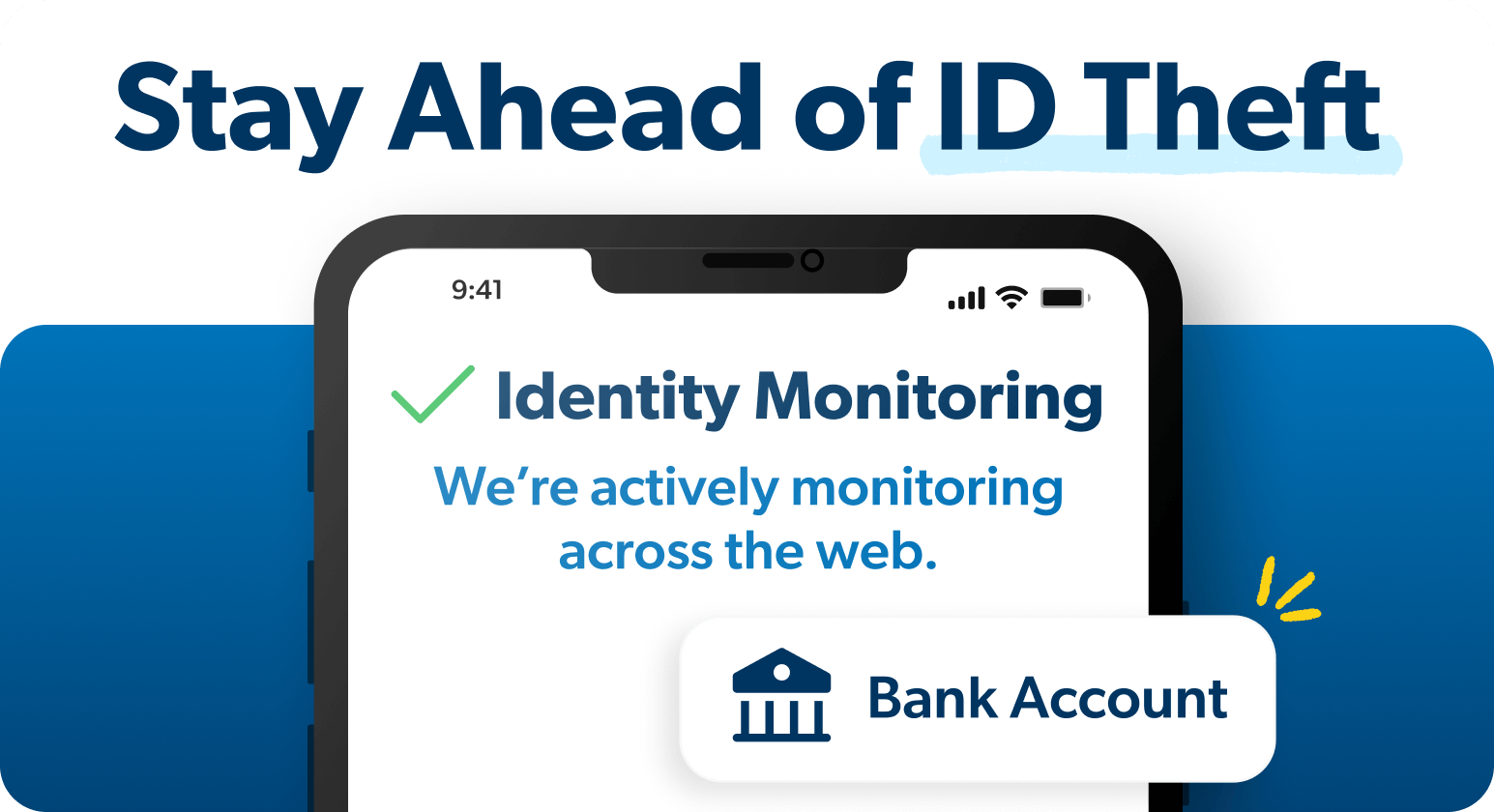
Use a service that sends alerts for suspicious activity and notifies you if your personal info shows up in a breach or on the dark web.
Have a disaster recovery plan.
All the best practices in the world can’t prevent identity theft 100% of the time. That’s why your final best practice should be to have a backup plan if something out of your control goes wrong. Get a plan that helps you clean up the mess quickly and includes reimbursement for recovery costs and stolen funds.
What Is Your Cybersecurity Risk?
Your cybersecurity risk will be lower if you live off the grid—frankly, it will be almost nil. But if you live in the world with most of us—use a computer and smartphone, have an email address, and do some online banking—you have enough risk to make cybersecurity a must.
A main takeaway from all this is that there’s no one vulnerability to watch for and then you’re good to go. Cyberthreats come from every angle and corner of your cybernetwork, and you as an individual can’t possibly have a defensive laser beam pointed at every one of them. That’s why a multisided plan is so important.
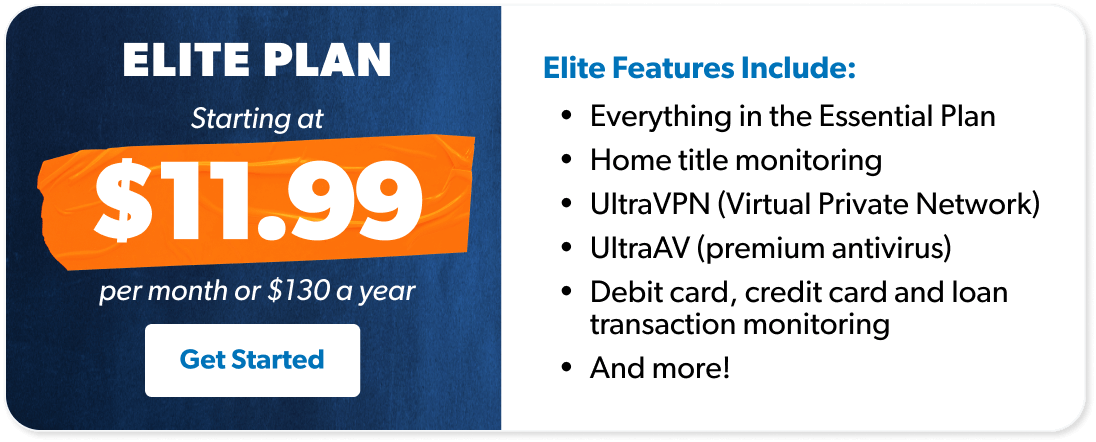
If you’re already convinced and looking for a plan, we recommend Zander’s IDT protection Elite Bundle. It comes with everything you need to cover all your bases—including up to $2 million in reimbursement for recovery costs and stolen funds.
The benefits include:
- Premium antivirus software
- UltraVPN
- Password manager
- Dark web and home title monitoring
- Up to $2 million for stolen funds and expenses
- Personal and financial monitoring
- 24/7 customer and recovery services
If you’re not quite ready to commit to a service, that’s okay. We’ve got more info so you can be confident this is what you need.
Next Steps
- Read about VPNs and how they keep your internet traffic secure.
- Learn how a password manager can relieve password fatigue and protect your accounts.
- Get a cybersecurity and identity theft protection plan like Zander’s IDT Elite Bundle.
-
What is cybersecurity in simple words?
-
Simply put, cybersecurity is what you do to protect your computer—and the rest of your digital life connected to the internet or other networks. Personal cybersecurity includes using antivirus software, managing your passwords, using a VPN, and being cautious with emails, texts and links.
-
What is the number one cyberthreat?
-
There’s no single “biggest” cyberthreat, but ransomware is one of the hardest hitters when it comes to financial damage. Phishing and other social engineering tactics are also top threats because they’re common ways attackers get in.
-
How can malicious code do damage?
-
Malicious code or malware can wreak havoc in all sorts of ways, including:
- Stealing passwords, financial info and other sensitive data
- Locking up systems (encrypting them) for ransom
- Corrupting or deleting files
- Giving cybercriminals unauthorized access to spy on you or install more malware
-
How do most cyberattacks begin?
-
Over 90% of successful cyberattacks begin with phishing.[1] You receive an email with a malicious link that downloads malware—or it prompts a conversation with an AI-powered bot that convinces you to wire money or hand over your login credentials. The list of evils a phishing email can open up is almost endless.
Never click on links from a sender you don’t recognize. Read sender email addresses carefully—scammers often use addresses that look legitimate at first glance but have a subtle typo (for example, company.co.et instead of company.com).
Get Weekly Insights Delivered Straight to Your Inbox
Did you find this article helpful? Share it!

About the author
Ramsey Solutions

Get proven Ramsey answers fast.