
Can't Pick a Budget App? PocketGuard vs. EveryDollar 2026
 By
By 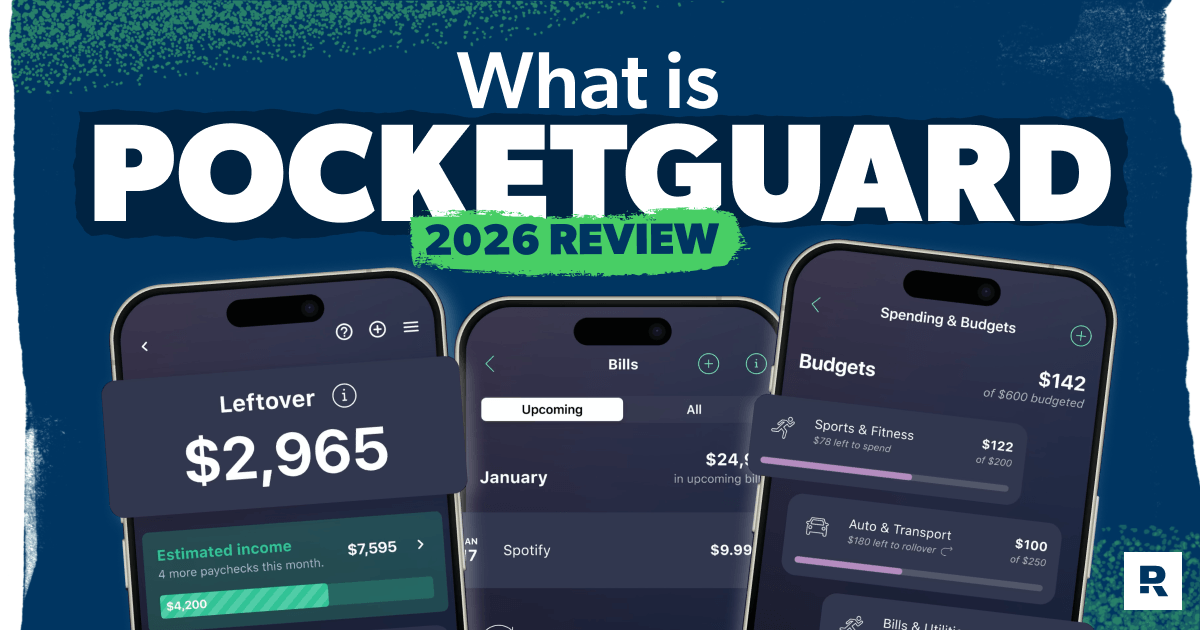
If you feel like your paycheck disappears faster than it should, you’re not alone. Plenty of people start looking for a budgeting app because they're tired of wondering where all their money went.
But when the rubber meets the road, fancy features won't help much if they don't change the way you handle your money. That's why it's worth taking a closer look at PocketGuard vs. EveryDollar. While both apps are designed to help you budget, they go about it in very different ways.
Key Takeaways
PocketGuard and EveryDollar are both budgeting apps, but they work differently. PocketGuard automates your budget by showing what's left to spend after bills—no hands-on planning required. EveryDollar uses zero-based budgeting, where you give every dollar a job before the month begins.
- EveryDollar's free plan includes unlimited budgeting with no subscription required. PocketGuard offers a seven-day free trial only—there's no free option.
- EveryDollar premium is $79.99 a year or $17.99 a month, while PocketGuard Plus is $74.99 a year or $12.99 a month. PocketGuard costs slightly less, but EveryDollar lets you start budgeting for less.
- EveryDollar is built around Dave Ramsey's 7 Baby Steps. If you're using the debt snowball to pay off debt, EveryDollar helps you make it part of your monthly budget.
We'll be up-front: EveryDollar is our product, and millions of families who use it every day agree with us that it's the best budgeting app to take control of your money. But instead of just taking our word for it, let's compare EveryDollar and PocketGuard side by side so you can see exactly how they stack up.
Which App Should You Use? Here's the Short Answer
EveryDollar is the stronger choice for anyone working the Baby Steps or focused on paying off debt. It uses a zero-based budgeting approach, which means you assign every dollar of income to a specific purpose until your income minus your planned expenses equals zero. In other words, every dollar has a job.

PocketGuard puts automation first. Instead of building a zero-based budget, it automatically tracks your income and expenses to estimate how much money you have left to spend after your bills are covered. That makes it a good option for people who prefer a more hands-off budgeting experience.
But a hands-off approach isn't how you take control of your money. Tracking your spending tells you where your money went. And creating a plan before you spend it is what helps you pay off debt and stop living paycheck to paycheck.
Here's a quick breakdown of what each app focuses on:
|
EveryDollar |
PocketGuard |
|
Working the Baby Steps |
Automation over planning |
|
Paying off debt |
Spending limits calculated for you |
|
Planning every dollar before the month begins |
Tracking spending over building a detailed budget |
|
Hands-on budgeting |
Simplicity over customization |
|
Free budget option |
Lower premium cost |
How Do PocketGuard and EveryDollar Compare Feature by Feature?
Here's how the two apps stack up.
|
Feature |
EveryDollar |
PocketGuard |
|
Budgeting approach |
Zero-based budgeting that gives every dollar a job |
"In My Pocket" spending limits based on income and bills |
|
Free option |
Free plan available with unlimited budgeting |
Seven-day free trial only |
|
Bank sync |
Included with paid version |
Included with paid version |
|
Automation |
More hands-on budgeting experience |
Automatic transaction tracking and categorization |
|
Budget customization |
Fully customizable categories and budget lines |
Customizable, but more automation-driven |
|
Debt-payoff focus |
Built around the Baby Steps and intentional debt payoff |
Basic debt-tracking tools |
|
Best for |
People who want a plan for every dollar and a proven path out of debt |
People who prefer a more hands-off budgeting experience |
Both EveryDollar and PocketGuard include the typical features you'd expect from a budgeting app. But the way those features work—and the goals they're designed to support—can make a big difference in your day-to-day budgeting experience.
What Do PocketGuard and EveryDollar Actually Cost?
EveryDollar offers a free version with unlimited budgeting and manual transaction entry. Users who want bank syncing and additional features can upgrade to EveryDollar premium for $17.99 a month or $79.99 a year.
PocketGuard doesn't offer a permanent free plan. Instead, users can try the app with a seven-day free trial before subscribing to PocketGuard Plus for $12.99 a month or $74.99 a year.
Here's a quick look at what each option includes:
|
Plan Details |
EveryDollar |
PocketGuard |
|
Free plan |
Unlimited budgeting with manual transaction entry |
Seven-day free trial only (no permanent free plan) |
|
Paid plan |
EveryDollar premium |
PocketGuard Plus |
|
Monthly cost |
$17.99 a month |
$12.99 a month |
|
Annual cost |
$79.99 a year |
$74.99 a year |
|
Paid upgrade includes |
Bank sync, paycheck planning, savings goals and debt-payoff planning |
Bank sync, spending automation and goal-tracking tools |
PocketGuard costs slightly less than EveryDollar premium. But unlike PocketGuard, EveryDollar offers a free version you can use long term, making it easy to build a budget and stick with it before deciding whether to upgrade.
Find Margin You Didn’t Know You Had With EveryDollar
The EveryDollar budgeting app helps you find extra money every month so you can beat debt, build wealth, and make progress. Every. Day.
Which App Is Easier to Set Up and Use Every Day?
PocketGuard is technically faster to set up because it starts with automation. You connect your accounts, and the app uses your income, bills and spending history to estimate what’s available to spend.
EveryDollar takes a little more hands-on work up front, but that’s the point. Instead of letting the app build a budget based on past habits, you decide how much to allocate to each category and what your budgeting percentages should look like.
That learning curve is something many users experience, but the extra effort is worth it in the end. As Liz from THE Ramsey Baby Steps Community Facebook group shared:
"EveryDollar was the way me and my husband first started budgeting together seven years ago—and we're still using it today. We had irregular income and pay periods and really thought it wouldn't work for us for a long time. After about the third month, it really clicked and started making sense. There are a lot more resources out there now too, and the app is always improving. Stick with it!"
How to Set Up EveryDollar
- Enter your monthly income. Add all the income you expect to receive this month. Once your income is entered, start budgeting by giving, then saving, followed by your Four Walls: food, utilities, shelter and transportation.
- Add a budget line for every category. Include debt payments, insurance, groceries, subscriptions and anything else that regularly hits your account.
- Give every dollar a job. Adjust your budget until your income minus expenses equals zero. Think of it as a digital version of the envelope system—you decide how much money goes toward each category before you start spending.
Here's a Tip
Set aside 15–30 minutes on the last Sunday of each month to build next month's budget. You'll start the month with a plan instead of trying to catch up after it's already underway.
Which App Actually Helps You Pay Off Debt Faster?
If paying off debt is your top priority, EveryDollar has the edge.
Both apps include debt-payoff planning tools, and PocketGuard even supports the debt snowball and debt avalanche methods. The biggest difference is that EveryDollar weaves debt payoff into your monthly budget from the very beginning. Instead of waiting to see what's left over after spending, you decide up front how much money will go toward your debt each month.
That simple shift makes it easier to stay consistent and build stronger money management habits over time. Your debt payment becomes part of the plan instead of something you hope to fit into your budget later.
Here's what that can look like. Let's say you have $500 a month available after covering your essentials.
- With EveryDollar: Before the month begins, you assign $300 to debt payoff and $200 to discretionary spending. After 12 months, you've intentionally put $3,600 toward debt.
- With PocketGuard: The app shows you have $500 available after your bills. Unless you make a plan before the month begins, it's easier for that money to get spent in other areas. If you average just $100 a month toward debt, you'll pay off only $1,200 over the course of the year.
If you're working Baby Step 2, pair EveryDollar with the debt snowball method. List your debts from smallest to largest, make minimum payments on everything except the smallest balance, and throw every extra dollar at that debt until it's gone. Then roll that payment into the next debt and keep going until you're debt-free.
The debt snowball works because those small early wins keep you motivated to stick with your plan. With every debt you pay off, the amount you pay on the next debt grows, building the momentum you need to knock them out faster.
What Do Real Users Say About PocketGuard and EveryDollar?
Here's what users consistently say they like—and what they wish each app did better.
EveryDollar
What users love:
- Clean, easy-to-use interface
- Zero-based budgeting approach
- Budget sharing for couples
- Built-in support for the Baby Steps and other financial goals
- Educational content, videos and money guidance
Common complaints:
- Manual entry in the free version
- Occasional bank sync disconnects
- Delays in transaction imports
- Limited reporting features on the free plan
PocketGuard
What users love:
- Quick setup process
- Automatic transaction categorization
- Easy-to-understand "In My Pocket" spending insights
- Strong automation features
Common complaints:
- No free plan option
- Bank sync and connectivity issues
- Inaccurate subscription and recurring expense tracking
- Occasional app errors and slow loading times
- Difficulty canceling subscription
Which App Is Right for You?
Winning with money starts with a plan. If you're serious about paying off debt, building wealth and breaking the paycheck-to-paycheck cycle, EveryDollar gives you the structure to make it happen. Instead of wondering where your paycheck went, you'll know exactly where every dollar is going before the month begins. The free version makes it easy to get started, and its zero-based budgeting approach helps you stay intentional and make steady progress toward your financial goals.
Next Steps
- Download EveryDollar and create your first zero-based budget.
- Connect your bank account with EveryDollar premium or enter your transactions manually.
- Give every dollar a job, including a specific line item for debt payoff if you're working Baby Step 2.
- Track your spending consistently for the next 30 days and adjust your budget as needed.
-
Is EveryDollar worth it?
-
EveryDollar's free plan gives you everything you need to build a zero-based budget with no subscription required. Premium adds bank sync, paycheck planning and other time-saving features for $79.99 a year. If you want more automation and coaching, the upgrade may be worth it—but the free version is enough to start budgeting and building better money habits today.
-
Does EveryDollar sync with all banks?
-
EveryDollar premium connects with thousands of financial institutions, but not every bank is supported. If bank sync matters to you, check that your financial institution is compatible before upgrading. You can also use EveryDollar for free with manual transaction entry, which many people prefer because it helps them stay engaged with their budget.
-
Which app is better for zero-based budgeting?
-
EveryDollar. The app was built around zero-based budgeting, helping users give every dollar a job before the month begins. PocketGuard doesn’t use a zero-based method.
-
Can I use EveryDollar for free?
-
Yes. EveryDollar's free version includes unlimited budgeting and full access to its zero-based budgeting system. Bank sync is a premium feature.
-
Can EveryDollar work without bank sync?
-
Absolutely. Many users prefer manual entry because it keeps them more aware of their spending and engaged with their budget.
-
Which app is better for beginners in 2026?
-
PocketGuard is simpler to set up, but EveryDollar gives beginners a stronger foundation for budgeting. Its zero-based budgeting approach helps users create a plan for every dollar, and the free version makes it easy to build the habit without paying for a subscription.
Get Weekly Insights Delivered Straight to Your Inbox
Did you find this article helpful? Share it!

About the author
Ramsey Solutions

Get proven Ramsey answers fast.