
How to Budget Using Multiple Bank Accounts
 By
By 
Key Takeaways
- Multi-account budgeting means giving each account a specific purpose, but most people only need a simple setup to make it work.
- All you really need is one checking account for spending, one savings account for your emergency fund and sinking funds, and a zero-based budget.
- Most spending categories don’t need separate accounts because your budget already tracks them.
- Some people prefer a separate high-yield savings account for their emergency fund.
- Keeping savings separate from checking helps reduce impulse spending.
- Automating transfers and reviewing your budget regularly helps the system stay on track.
Budgeting with multiple bank accounts sounds smart in theory. One account for bills. One for spending. One for savings. Maybe another for vacations or holidays. But for most people, more bank accounts just create more confusion.
Here's a Tip
Here’s the Ramsey approach: one checking account for spending, one savings account for your emergency fund and sinking funds, and a zero-based budget in EveryDollar to organize every dollar.
Simple works because simple is easier to stick to. Here’s how to think through it.
What Is Multi-Account Budgeting and Why Would You Use It?
Multi-account budgeting means giving each bank account a specific purpose instead of keeping all your money in one place. Think of it like the digital version of the envelope method. Instead of separating cash into envelopes, you separate money into accounts or savings buckets.
Some people like using multiple accounts because it creates mental separation between different goals. One account might handle bills, another might hold emergency savings, and another might be used for sinking funds like vacations or car repairs. For some people, that separation can make it easier to stay organized and avoid overspending.
But here’s the deal: You don’t need separate accounts for everyday spending categories like groceries, gas or restaurants. (A zero-based budget where you give every dollar a job should handle that.) The place where physical separation actually helps is savings.
If your emergency fund is sitting in the same account as your spending money, it can start to feel, well . . . spendable. Keeping savings separate creates a boundary between money you plan to spend now and money you’re protecting for later.
For most people, that’s the only reason to go beyond a single checking account.
Which Bank Accounts Should You Open and What Does Each Do?
One checking account and one savings account are usually enough. A zero-based budget in EveryDollar can organize everyday spending categories like groceries, entertainment, and bills, so there’s usually no need for separate accounts for each expense.
Here’s what that basic setup looks like:
|
Account |
Purpose |
Notes |
|
Checking account |
Everyday spending account where income comes in and bills go out |
Look for an account with no monthly fees and easy transfers |
|
Savings account |
Holds your emergency fund and sinking funds |
Can include savings buckets or sub-accounts |
Where It Gets Nuanced: One Savings Account or Two?
Some people find it helpful to split their savings into two separate accounts: one high-yield savings account for the emergency fund, and a separate savings account for sinking funds. That way your emergency fund stays protected for true emergencies, while your sinking funds are set aside for planned spending.
Others keep their emergency fund and sinking funds in the same savings account using labeled buckets. That works too. The important thing is to keep savings separate from everyday spending.
|
Setup |
Best For |
|
One checking account and one savings account |
People who want a simple, streamlined system |
|
One checking account and two savings accounts |
People who want stronger separation between emergency savings and sinking funds |
|
Four to six accounts |
People who enjoy unnecessary complexity and confusion |
Your Baby Step also affects how much savings separation you actually need. In Baby Step 1, a simple checking and savings account setup is enough while you build your $1,000 starter emergency fund. By Baby Step 3 and beyond, sinking funds usually become a bigger part of the system as you start planning ahead for larger irregular expenses.
And if you’re married, combine your finances completely. Shared money should live in shared accounts because you’re building one life together.
Here's a Tip
Before you open another account, check whether your bank already offers savings buckets or sub-accounts. One savings account with buckets labeled “Emergency Fund,” “Vacation” and “Car Repairs” can give you the same clarity as multiple accounts without all the extra transfers, passwords and logins.
How Do You Assign Budget Categories to Specific Accounts?
Your budget comes first, then your accounts follow. That’s the part that people usually get backward.
Instead of opening a bunch of accounts and trying to force your budget into them, build a zero-based budget, assign every dollar a job, and then decide whether any money needs physical separation.
A zero-based budget simply means that every dollar of take-home pay is assigned to a category before the month begins. Income minus expenses should equal zero. Once the budget is built, you’ll know which categories simply need tracking and which ones benefit from being separated.
|
Budget Category |
Examples |
Where It Lives |
|
Recurring monthly bills |
Rent, car payment, insurance, phone, utilities |
Checking account |
|
Variable spending |
Groceries, gas, dining out, entertainment |
Checking account |
|
Giving |
Tithe, charitable giving |
Checking account |
|
Debt snowball payments |
Credit card loans, student loans, car loans |
Checking account |
|
Sinking funds |
Car repairs, vacation, holiday gifts, medical, home maintenance |
Savings account |
|
Emergency fund |
3–6 months of expenses for true emergencies only |
Savings account |
Notice how most categories only need a line in your budget—not a separate account. For example, restaurants don’t need their own debit card because your budget categories already do the organizing work.
The categories that benefit most from physical separation are the ones tied to savings. Keeping your emergency fund and sinking fund dollars out of checking creates a little friction between you and impulse spending.
Here's a Tip
Name your savings buckets after the actual goal instead of using generic labels. “Vacation—Yellowstone 2027” is a lot more motivating than “Miscellaneous Savings” and a lot harder to spend on something else.
Three Quick Household Examples
Single person: A single person should use one checking account for spending and one savings account for an emergency fund and sinking funds. EveryDollar tracks all spending categories while sinking funds live in savings.
Married couple: A married couple should use one joint checking account and one joint savings account, with savings buckets for goals like vacations, car repairs and holiday spending if available. Both spouses should use the same EveryDollar budget and meet before the first of the month for a budget committee meeting.
Household with irregular income: A household with irregular income should keep the same simple account setup while adjusting the budget month to month based on income. In higher-income months, you can fund sinking funds faster and make extra progress on goals. In lower-income months, prioritize the Four Walls first: food, utilities, shelter and transportation.
How Do You Track Spending When Money Lives in Different Places?
This is where multi-account budgeting usually breaks down. The accounts are set up, the transfers happen—and then nobody checks anything. A transfer gets missed. A category goes over budget. A bill drafts earlier than expected. By the 20th, nobody knows where the money went.
The fix is a complete view of every account inside one budget, and that’s exactly what EveryDollar does.
|
Method |
How It Works |
|
EveryDollar (free) |
Manually enter and categorize your transactions throughout the month. |
|
EveryDollar (premium) |
Automatically import transactions by connecting your bank accounts to the app. |
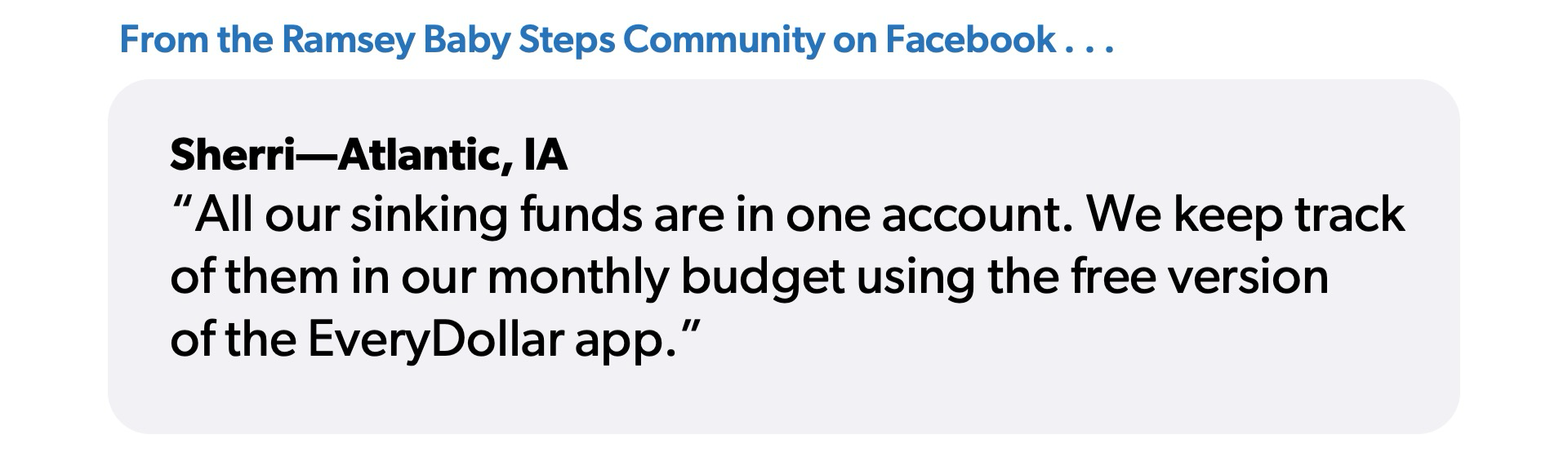
As Sherri from the Ramsey Baby Steps Community Facebook group shared, “All our sinking funds are in one account. We keep track of them in our monthly budget using the free version of the EveryDollar app.”
If you’re using more than one account, bank sync becomes especially helpful because every transaction flows into one budget automatically. So instead of jumping between banking apps and balances, you can see the full picture in one place.
Weekly Check (10 minutes)
- Review account balances.
- Categorize transactions.
- Confirm transfers posted correctly.
- Fix overspending immediately.
Those 10 minutes matter more than people think. Small budgeting problems are easy to fix early, but ignored problems usually become expensive ones.
Monthly Close (30 minutes on the last day of the month)
- Review your actual spending versus what you budgeted.
- Move extra money toward savings or debt payoff.
- Check that sinking fund balances are on track for upcoming planned expenses.
- Build next month’s budget before the month begins.
Ending the month with a quick review helps you stay intentional with your money and start the next month already in control.
How Do Transfers, Direct Deposit, and Routing Numbers Work?
If you use multiple accounts, automate as much as possible. The less your system depends on memory, the more likely it is to succeed.
How do I set up a split direct deposit?
Most employers will let you split a direct deposit between accounts. For example, $200 automatically goes to savings every payday and the rest goes to checking.
That setup works well because your savings move first instead of waiting to see what’s left over at the end of the month.
To set it up, you’ll need:
- Your routing number
- Your account number
- Access to your payroll portal or HR department
Where do I find my routing number and account number?
You can find both numbers in your banking app under “Account Details” or “Account Information.” If you use paper checks, the routing number is the 9-digit number along the bottom left, and the account number is next to it. Savings accounts have routing and account numbers too, so they can be used for transfers and direct deposit just like checking accounts.
How long do transfers between accounts take?
Transfers between accounts at the same bank are usually instant. Transfers between different banks typically take 1–3 business days. If you’re counting on a transfer to cover a bill, give yourself at least a couple of business days for the money to arrive.
What Mistakes Wreck a Multi-Account Budget?
Without a plan, using multiple accounts can quickly create confusion. Here are some of the most common mistakes people make.
Mistake 1: Opening Accounts to Solve a Spending Problem
What happens: You keep overspending on restaurants, Target runs or Amazon purchases, so you decide the answer is opening another account. Now there’s a “fun money account,” a “food account,” and even a “miscellaneous spending account.”
But if the budget says $300 for restaurants and you spend $500, opening another checking account won’t magically create self-control. That’s because overspending is a planning and behavior problem.
Fix: Go back to your budget and make sure your spending categories reflect reality. If you constantly overspend in one category, either lower spending somewhere else or admit you may need more discipline in that area.
Mistake 2: Having Accounts With No Clear Purpose
What happens: You slowly collect accounts over time—one from college, one from an old job, one because the bank offered a bonus. Before you know it, you have multiple accounts but can’t explain what any of them are for without checking your phone.
When money gets spread across too many places, it becomes harder to answer basic questions like:
- How much savings do I actually have?
- Did that bill already clear?
- Is this money available to spend, or is it already assigned somewhere else?
Fix: Every account should have one clear purpose. If you can’t describe why you have it in one sentence, consider closing it. If an account doesn’t have a job, it’s just a place for money to get lost (or spent without a plan).
Mistake 3: Not Checking Your Budget Regularly
What happens: You automate your transfers and assume everything is working, but then a transfer fails, a bill drafts early, or a sinking fund contribution gets missed. And because nobody checked the budget for three weeks, you don’t notice the problem in time to fix it.
Suddenly there’s not enough money in checking to cover a bill.
Fix: Do the 10-minute weekly check to review account balances, transactions, transfers and overspending. If it helps you stay more consistent, put it on the calendar each week.
Mistake 4: Paying Fees on Accounts That Should Be Free
What happens: This one sneaks up on people. Maybe one account requires a minimum balance, another charges a maintenance fee, and another penalizes you for too many transfers.
Individually, the fees don’t feel huge. But when you’re juggling multiple accounts, those small charges quietly drain money month after month.
Fix: Review your accounts once a year and look for monthly maintenance fees, minimum balance requirements, transfer limits and ATM fees. Most online banks and credit unions offer free checking and savings accounts (which is exactly what you should be looking for).
Mistake 5: Not Automating Transfers
What happens: You plan to move money into savings manually every payday, but life gets busy and it slips through the cracks. Before long, the money gets spent somewhere else and your sinking funds stop growing.
Fix: Set automatic transfers for payday so your savings move before you have a chance to spend the money somewhere else.
How to Set Up a Multi-Account Budget in 6 Steps
Whether you use one account or several, the process is the same: Your budget comes first. Your accounts simply support the plan.
- Build your zero-based budget. Open EveryDollar and give every dollar of your take-home pay a job before the month begins. Cover savings, giving and essentials first. Then put any extra toward your current Baby Step—like paying off debt or building savings faster.
- Decide if you actually need more accounts. Most people only need one checking and one savings account. If your emergency fund and sinking funds are mixed into checking, open a savings account or use savings buckets if your bank offers them.
- Name accounts based on purpose. Rename accounts so they’re crystal clear: “Checking,” “Emergency Fund,” “Sinking Funds.” If you use buckets, label them too: “Vacation,” “Car Repairs,” or “Christmas.” Clear names make money decisions easier.
- Automate transfers on payday. Set up a split direct deposit or automatic transfers so savings moves immediately before any other spending happens. Automating good habits removes a lot of temptation.
- Connect everything to EveryDollar. Link all your accounts so every transaction flows into one budget. If you have multiple accounts, you need to be able to see the full picture in one place.
- Review weekly and close out monthly. Check your budget every week to fix missed transfers and adjust overspending. Then build next month’s budget before the new month begins.
Start Tracking Your Accounts in EveryDollar
Using a budgeting app like EveryDollar will give you a clear plan for your money before the month begins. When every dollar has a job, it’s easier to avoid overspending, stay organized, and make confident decisions with your finances. And the simpler your system is, the easier it’ll be to stick with long term.
Next Steps
- Create a zero-based budget in EveryDollar before the month begins.
- Use one checking account and one savings account unless you truly need more separation.
- Set up automatic transfers to savings on payday.
-
Do I really need multiple bank accounts to budget well?
-
No. Most people can keep things simple with one checking account and one savings account. Your budget does the organizing work.
-
How many bank accounts is too many?
-
If your system feels complicated or hard to track, you probably have too many accounts. Most households only need checking and savings, with maybe one extra savings account for an emergency fund.
-
Do I need a separate account for every sinking fund?
-
No. Savings buckets or budget categories can keep goals like vacations, car repairs and Christmas organized inside one savings account.
-
What’s the difference between a sinking fund and an emergency fund?
-
Sinking funds cover planned expenses like vacations or car repairs. Emergency funds are for unexpected situations like job loss, medical bills, or a broken home appliance.
-
What’s the easiest way to track multiple accounts without losing your mind?
-
Keep all your accounts connected to one budget in EveryDollar so you can see spending, savings and transfers in one place.
-
How do I deposit cash when my primary account is at an online bank?
-
Many online banks let you deposit cash through retail partners like CVS, Walgreens or Allpoint locations. (You can usually find the closest deposit locations inside your banking app.) Another option is keeping a local checking or credit union account for cash deposits, then transferring the money to your primary online bank account.
Get Weekly Insights Delivered Straight to Your Inbox
Did you find this article helpful? Share it!

About the author
Ramsey Solutions