
Best Apps to Make Money in 2026 (and the Ones That Just Help You Save)
 By George Kamel
Key Takeaways
- The best apps to make money fall into two buckets: ones that help you earn real income (gig work, freelancing, selling stuff) and ones that help you save on purchases you’d make anyway.
- Most “make $100 a day” claims are just hype. Realistic earnings range from a few dollars a month with cash-back apps to $25+ an hour with driving apps like Uber.
- Gig income is taxable—the IRS counts it, even if you didn’t get a 1099.
- Cash-back and rewards apps only work in your favor if you use them with what you were already planning to buy.
- Extra income matters most when you’re on Baby Steps 1–3. Use it to build your emergency fund or attack debt.
- AI tools are useful if they support budgeting and saving discipline, but they’re not a substitute for personal financial responsibility.
You’ve probably seen the headlines: “Make $500 a day playing games on your phone!” Or: “This one app changed my financial life!” Look, I get it—if there’s a legit way to make extra money with your phone, you want to know about it. But before you download every app in the App Store, let me be your honest filter.
Here's a Tip
The best apps to make money depend on your goals. To earn real income, gig apps like DoorDash, Uber and TaskRabbit pay an average of $11–25 per hour, while freelance apps like Fiverr and Upwork let you sell your skills. To save money on purchases you’d make anyway, cash-back apps like Rakuten, Ibotta and Upside return a few hundred dollars a year for most users.
I’ve tested a lot of these apps over the years. Some are genuinely great. Some are fine if you use them the right way. And some are really good at convincing you that buying stuff you don’t need is actually a smart financial decision. That’s a hard pass on that last one.
This article covers both sides of the money app world: apps that help you earn real income, and apps that help you save on purchases you’d make anyway. I’ll also throw in a dose of Ramsey reality—because if you’re not using the extra money to build your emergency fund or pay off debt, you’re just keeping yourself stuck.
How Much Can You Realistically Earn With Moneymaking Apps?
Let’s address the elephant in the room first: No, most apps will not pay you $100 a day. Can it happen? Sure—if you drive for DoorDash for four-plus hours in a busy market, you might get there. But if you’re counting on survey apps or games to hit that number, you’re going to be waiting a long, long time.
Here’s what the data actually says:
|
App/Platform |
Realistic Earnings |
|
DoorDash |
$11.63 per hour median (while on deliveries)1 |
|
TaskRabbit |
$17.53 per hour average2 |
|
Ibotta |
$218 per year average3 |
|
Survey/game apps |
$1–5 per month typical |
See the pattern? The apps that actually pay well require real work, real time or real assets. Cash-back apps save you money on purchases you'd already make, but they're not a source of income. Gig apps pay real wages, but you're trading your time—and sometimes your gas money. Knowing the difference will save you from downloading 14 apps and making nothing from any of them. Now let's break them down by category.
Best Apps to Earn Real Income
These apps can put meaningful money in your pocket, but they require more out of you—like time, a car or a skill. They’re basically side hustles in app form.
If you’re working the 7 Baby Steps and are on Baby Step 1 or 2, extra income is one of the most powerful tools for building that starter emergency fund fast or piling on debt-snowball momentum.
Delivery and Driving
1. DoorDash
People love food, and they also like it delivered to them (makes you kind of feel like royalty, doesn’t it?). And with DoorDash, you can make those royal dreams come true. It’s simple: You pick up restaurant orders and deliver them. Work as little or as much as you want, which makes it a great option for squeezing in extra hours around a full-time job.
Active users (called Dashers) earn a median of $11.63 per hour while on delivery (that’s time actually delivering, not waiting for an order).4 Your earnings will vary based on your market, the time of day, and how strategic you are about when you work.
How you earn: per delivery plus tips (earnings vary by market and demand)
Best for: anyone with a reliable car and a few free hours per week
Watch out for: Factor in gas and vehicle wear. And gig income is taxable—track your earnings and mileage from day one.
2. Uber/Lyft
Rideshare driving is a pretty straightforward exchange: Drive people from here to there and earn per ride. Uber and Lyft are two sides of the same coin.
In busy markets, consistent drivers can earn serious supplemental income. And peak hours (Friday nights, holidays, major events, rush hour, etc.) are where the money is. While you can make up to $50 an hour during those peak times, many drivers make anywhere from $15–25 per hour.5
How you earn: per trip (and tips), with surge pricing during high-demand periods
Best for: people who enjoy driving and socializing, and people who want a side hustle that fits around their schedule
Watch out for: Your personal auto policy may not cover you while driving for hire. Check your coverage before your first trip.
3. Instacart
As an Instacart shopper, you shop for and deliver groceries. Instacart offers two roles: full-service (shop and deliver) and in-store only (shop only). Both are flexible and can be done close to home.
How you earn: per batch plus tips (full-service) or hourly (in-store)
Best for: people who like grocery shopping and want a gig close to home
Watch out for: Tips make a significant difference. Excellent service matters.
4. TaskRabbit
If you’re handy, strong or just good at assembling furniture without losing your mind, TaskRabbit pays well. Taskers average $17.53 per hour across all categories.6 Tasks include moving help, furniture assembly, cleaning and more. You set your own hourly rate and pick the jobs you want. And if you have handyman skills or are a plumber, electrician and the like, you can charge more.
How you earn: your set hourly rate for completed tasks, plus tips
Best for: anyone with a practical skill set and the ability to work in person
Watch out for: Building reviews takes time. Your first few jobs may come slower while your profile gets established. There’s also a $25 registration fee.
Freelance and Skills
5. Fiverr
If you’ve got some awesome digital skills to offer (writing, graphic design, video editing, voiceover, coding, social media, etc.), Fiverr lets you sell those services online. You create a gig listing, you set your price, and buyers come to you. Sellers charge an average of $356 per project (excluding Fiverr’s take and any other fees)—and as you gain experience and reviews on the platform, you can up your fees.7
How you earn: per completed gig (but Fiverr takes a 20% cut of your earnings).
Best for: anyone with a marketable digital skill they can deliver remotely
Watch out for: Competition is high. You’ll need strong samples and solid reviews to stand out.
6. Upwork
Upwork is Fiverr’s more corporate cousin. Instead of waiting for buyers, you bid on posted jobs—no waiting for the potential work to come to you. Projects tend to be larger and longer, and they skew toward more professional services: legal, development, AI, design, marketing, consulting. Upwork does take 0–15% of your earnings, depending on the project.
How you earn: per project or hourly, based on contracts with clients
Best for: experienced professionals looking for high-value freelance contracts
Watch out for: Getting your first client takes hustle. Invest time up front before income flows consistently.
Selling Stuff
7. Poshmark
If your closet is overflowing with things you no longer wear (or things you thought you’d wear but still have the tags on them), Poshmark is a legit way to turn clutter into cash. Think of it as an upscale eBay that specializes in fashion—clothes, shoes, purses and related accessories. Just be aware that Poshmark takes a 20% cut on sales over $15.
How you earn: per sale, minus Poshmark’s fee
Best for: anyone with quality clothing or accessories to sell
Watch out for: Successful sellers stay active by sharing listings and engaging with buyers.
8. Mercari
Got more than just clothes to sell? Mercari is a general marketplace where you can sell almost anything: electronics, toys, games, books, kitchen items, sporting goods. If you’re clearing out a garage or spare room, Mercari’s broad category support makes it easier than a more niche platform (and it’s a lot cleaner of a process than Facebook Marketplace). Mercari charges a 10% selling fee for the privilege though.
How you earn: per sale, minus Mercari’s fees
Best for: people who want to sell a wide variety of items without managing multiple accounts
Watch out for: Research prices before listing. Underpricing is common with new sellers.
AI Apps to Help You Save Money
It’s true that artificial intelligence is starting to get into almost every part of our lives. But it’s not all weird videos of celebrities eating pasta. AI-powered apps can help save you money by helping you spot where your money is going and finding cheaper options automatically.
Just like other AI tools, these apps aren’t replacements for intentional budgeting and personal responsibility. But as support tools, they’re pretty useful.
9. GridRewards
How would you like to get paid for using less electricity? When the power grid is under stress (usually during hot summer afternoons) GridRewards’ AI tracks it in real time, makes predictions based on your electricity use, and sends an alert asking you to cut energy use for a few hours. Do that, and you get a check for some extra cash at the end of the season.
Sounds like a win-win: You save on your power bill and get paid! But there’s a catch: GridRewards is currently available only in select areas (New York, California and Texas).
How it helps: Earn cash rewards for reducing electricity use during peak grid events.
Best for: homeowners and renters in supported markets who want to earn money on energy savings
Watch out for: Availability is limited by location and utility provider. Check the app first.
10. Hopper
Is there a trip in your future? If you travel even a few times a year, you probably know that paying for plane tickets and hotel rooms at the wrong time can cost you hundreds of dollars. Hopper uses AI to watch price trends and sends you a notification when it’s the right time to pull the trigger. The Price Freeze feature even lets you lock in a price for a fee.
How it helps: Save money by booking at optimal times based on AI price predictions.
Best for: anyone who books flights or hotels more than once or twice a year
Watch out for: Add-on services cost money. Stick to the free prediction features.
Best Cash-Back Apps for Groceries, Gas and Everyday Shopping
These apps won’t give you big bucks like a potential side hustle, but they’re a smart way to earn something back on spending you’d do anyway. The key word is “anyway.” The moment you start buying things you didn’t plan to buy just to earn a little cash back, these apps start costing you money. And no—this doesn’t mean clipping coupons like it’s 1997 (although I miss those simpler times).
11. Rakuten
Rakuten is one of the most popular cash-back apps out there—and for good reason. It lets you earn cash back by shopping online at stores you already use.
The browser extension is where Rakuten really shines. It automatically pops up when cash back is available and sometimes even tells you when another retailer is offering a better deal on the exact same item! I’ve personally used Rakuten to avoid overpaying more than once.
And if you think you can’t earn cash back while shopping in person, you thought wrong. Just link the offer to your debit card and pay with your debit card in the store. Easy enough.
How you earn rewards: Get cash back when you shop online or in store through Rakuten links and eligible offers.
Best for: people who do a lot of online shopping at major retailers
Watch out for: Cash back is paid out quarterly, so this isn’t instant money.
12. Ibotta
Ibotta helps you earn cash back on groceries, household items and online purchases, but it requires a little prep. Before you shop, you add offers in the app. After you shop, you upload your receipt and get cash back.
Many people like Ibotta because it works at big-name grocery stores and everyday retailers. Ibotta claims frequent users earn $218 a year on average—but only if they use Ibotta consistently.8
Just be careful: Ibotta partners with specific brands, which means it can push you toward name-brand items that cost more than their store-brand counterparts. Spending $5 extra to get $1 back is not winning.
How you earn rewards: Get cash back by activating offers and buying eligible items in store or online.
Best for: grocery shopping and earning cash back on name-brand items
Watch out for: Don’t spend extra on name-brand items just to get a little cash back.
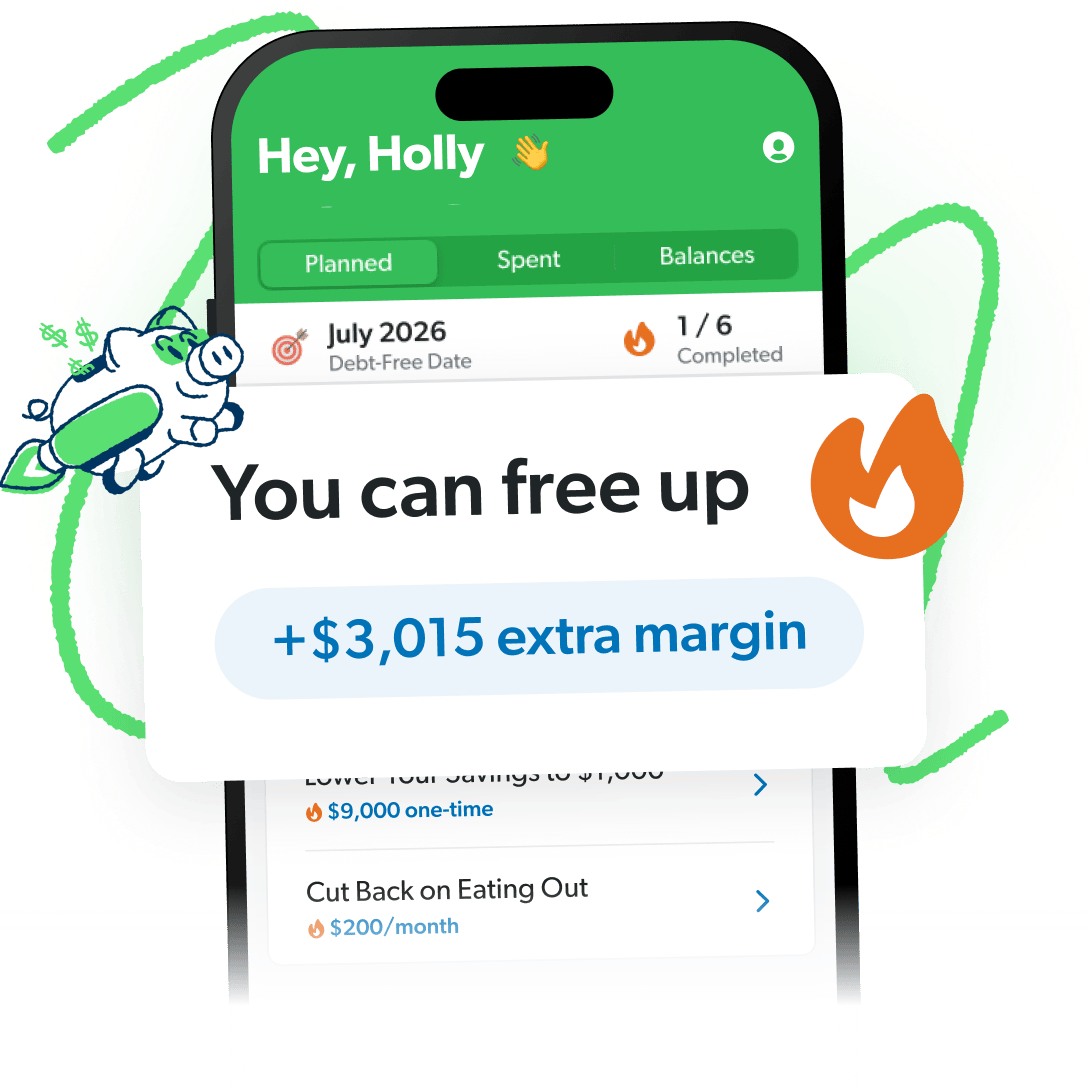
Free Up Margin. Make Real Progress.
The EveryDollar budget app helps you find hidden margin and put it to work so you can stack savings, crush debt, and build wealth that lasts.
13. Fetch
Fetch is about as simple as it gets. You snap a picture of almost any receipt from almost any store and earn points—without having to add offers to your app beforehand.
Those points can be redeemed for gift cards to popular retailers and restaurants. While you won’t get actual cash with Fetch, it’s still an easy way to earn rewards from purchases you’re already making.
Fetch also partners with specific brands to offer bonus points, but you don’t have to buy those products to earn something.
How you earn rewards: Upload receipts from eligible purchases.
Best for: low-effort rewards on everyday purchases
Watch out for: Rewards can only be redeemed for gift cards, not cash.
14. Upside
Upside is especially helpful for saving money on gas, groceries and dining out. Before you shop, check the app for offers at nearby locations, then pay as usual. The app’s handy map feature makes it easy to plan your errands around the best deals.
Once your purchase is confirmed, you earn cash back that can be transferred to your bank account, PayPal or a gift card. Processing payouts can take a few days, but the setup and earning process is straightforward.
How you earn rewards: Get cash back on eligible gas, grocery and restaurant purchases.
Best for: getting cash back for gas and food
Watch out for: You’ll need to link a card so Upside can verify your purchases. There’s also a $10 minimum for cashing out.
15. RetailMeNot
If you’re a deal lover, you’ve probably heard of RetailMeNot. When I’m shopping online or looking for promo codes, it’s the first place I check. It’s quick, it’s easy, and it lets me know if there’s a code or discount for whatever I’m planning to buy, whether that’s a new denim jacket or a gluten-free pizza.
In addition to discounts, RetailMeNot also offers cash back at select retailers—and sometimes lets you stack a promo code and cash back on the same purchase. Now that’s what I’m talking about!
The trade-off is patience. Cash-back approvals can take several weeks.
How you earn rewards: Save through promo codes and get cash back on select purchases.
Best for: online shopping and stacking coupons with cash back
Watch out for: Cash-back approvals can take several weeks.
16. Checkout 51
Checkout 51 focuses on cash back for groceries and gas—two things most people already budget for. Instead of hunting for random deals, you browse a list of available offers directly in the app and choose the ones that match what you already plan to buy.
New offers are added weekly, so there’s always something fresh to check before your regular grocery run. After you shop, you simply select the offers you used and upload a photo of your receipt using the app. Once your receipt is approved, cash back is added directly to your account.
How you earn rewards: Earn cash back by purchasing featured grocery items and gas.
Best for: earning cash back on budget staples like food and fuel
Watch out for: Offers rotate weekly, so timing your purchases matters.
17. Swagbucks
Swagbucks offers all sorts of ways to earn rewards, including shopping online, taking surveys, watching videos, and searching the web. When you use the browser extension (the SwagButton), you can get deal alerts when you’re shopping online too.
The flexibility is nice, but not every option is efficient. Shopping rewards tend to be the best use of time, while surveys and games can pay very little.
How you earn rewards: Get points by shopping online and completing select activities.
Best for: people who want flexible ways to earn rewards
Watch out for: Some tasks pay very little and may not be worth your time.
Best Apps for Shopping Smarter at Specific Stores
18. Target App
My family spends enough at Target that it has its own line item in our EveryDollar budget. If this sounds familiar, you’re missing out if you don’t take advantage of Target Circle Rewards in the Target app.
The Target app helps you browse Target’s current deals and apply Target Circle savings. And if you want to save even more, check out Target’s store debit card (known as the Circle Card) to get 5% instant savings on all purchases. Just don’t get it confused with the credit card they offer (also called the Circle Card). Never ever fall for Target’s credit card—or any credit card, for that matter.
How you earn rewards: You earn savings through discounts and special offers on Target purchases.
Best for: people who shop at Target regularly
Watch out for: You have to add offers in the app before checking out to receive savings.
Best Apps for Tracking Prices and Cutting Specific Bills
19. CamelCamelCamel
Next on the list is CamelCamelCamel (no affiliation with this Kamel), a free Amazon price tracker. It’s technically a website and browser extension and not an app—but it’s still a great way to save money while shopping online. You can sign up for price-drop alerts on items you’ve got your eye on. Pretty great, right?
Let’s say you’re in the market for a new TV, but you don’t want to spend the list price on Amazon. That’s where its free browser extension, The Camelizer, comes in (great name, too!). Just sign up for price-drop alerts, and you’ll get a notification in your email telling you when the price has dropped.
How you earn rewards: Save money by receiving price-drop alerts on tracked Amazon items.
Best for: people who shop on Amazon regularly
Watch out for: This tool only tracks prices for Amazon products.
20. Slickdeals
With Slickdeals, you can type in the item you’re looking for and sign up for a custom deal alert. It’ll let you know when your item is on sale or when there might be a deal. You can even vote on deals and post new deals yourself to let others in on the money-saving goodness. Just know—this app promotes and advertises specific deals that may not even be the best available for that item.
When you make your purchases through their website, app or browser extension, you’ll collect points that can be redeemed through PayPal or gift cards.
How you earn rewards: Earn rewards by tracking deal alerts and shopping through Slickdeals links.
Best for: planned or big-ticket purchases
Watch out for: The featured deals aren’t always the best available, so it’s smart to double-check.
21. Flipp
Let’s say it’s Black Friday, Valentine’s Day or one of the other deal-heavy holidays, and you’re wishing there was one place to see all the best-priced items at your go-to stores. Oh, but there is! It’s called Flipp.
And when it isn’t a shopping-focused season, Flipp still helps you save money on normal things by letting you browse tons of digital weekly ads. You can make your meal plan and grocery list based on the sales without navigating a million sites.
How you earn rewards: Save money by comparing prices and browsing weekly deals.
Best for: meal planning and weekly shopping
Watch out for: This app works best if you plan your shopping ahead of time.
22. Waze
Sure, Waze is a navigation app. But it’s a navigation app with a gas price feature that’s pretty great. When you’re heading to fill up, Waze shows nearby gas prices updated in real time by its community of drivers. You can route to the cheapest option without going out of your way. It’s free, and the savings add up if you drive regularly.
How it helps: Find cheaper gas stations along your route using crowdsourced price data.
Best for: anyone who drives regularly
Watch out for: Gas prices in the app are user-reported and may not always be current. Verify at the pump.
23. GasBuddy
This one’s an oldie but a goodie. GasBuddy will search your local area and find the cheapest gas prices near you. Then all you have to do is get yourself to the pump and fill up.
You can also earn “GasBack” rewards when you shop at certain stores—and those rewards are automatically applied at the pump when you use the Pay with GasBuddy card. No, it’s not a credit card, but it’s not quite a debit card either. Instead, it’s a gas payment card that links to your checking account. Every time you use it, you’ll save up to 33 cents per gallon at the gas pump.
How you earn rewards: Save through fuel discounts and by tracking gas prices.
Best for: saving money on gas
Watch out for: You can earn extra GasBack by buying items in gas station convenience stores—but those prices are often inflated. Don’t spend more than you need just to get a little back at the pump.
24. GoodRx
Prescription drug costs can derail your budget quickly. But how do you know if you’re paying too much for your prescriptions? Check out GoodRx!
Just type the name of your prescription in the search bar along with your zip code. The website or app will show you which pharmacies in your area carry it and how cheap (or not) it is. Plus, they give out extra coupons every now and then for even more savings.
How you earn rewards: Save through prescription discounts and coupons.
Best for: lowering the cost of prescription medications
Watch out for: Prices vary by pharmacy, so always compare before filling a prescription.
How to Pick the Right Moneymaking App for Your Situation
Twenty-four apps are a lot to sort through. So here’s a quick rundown of which apps are best for your situation.
- Got 10 or more free hours a week and a car? Start with DoorDash or Uber/Lyft. The hourly rate beats almost everything else on this list.
- Have a skill people will pay for? Set up a profile on Fiverr or Upwork. The earning potential is high and the work is remote.
- Got stuff collecting dust in a closet or garage? List clothes on Poshmark. List everything else on Mercari.
- Want to earn something with minimal time investment? Install Rakuten and Ibotta for purchases you were going to make anyway.
- Drive a lot? Use Upside for cash back on gas and GasBuddy to find cheap stations.
- Have regular prescriptions? Check out GoodRx.
- Making a big purchase on Amazon? Set a CamelCamelCamel price alert. Wait for the drop.
- Feeling overwhelmed? Pick one earning app and one saving app. That’s it. Master two before adding more.
What to Do With the Extra Money You Earn (or Save)
Apps and websites that help you save or earn money are awesome for getting rewards and discounts on purchases you’d make anyway. But you should never buy something just because you get cash back or it’s on sale. Just because it’s on sale doesn’t mean it’s a good deal (especially if you didn’t actually need it).
Extra income and savings from apps are only as powerful as what you do with them. According to our research at Ramsey, 54% of Americans say they’re living paycheck to paycheck. Apps aren’t going to fix that on their own, but intentional use of extra income can.
If you’re on Baby Step 1, throw every extra dollar toward your $1,000 starter emergency fund. On Baby Step 2? Put that DoorDash income or Poshmark cash directly toward your debt snowball. Extra income matters most when it’s aimed at something.
And if you’re tempted to justify a purchase because you’ll get cash back? Don’t. Everything is 100% off when you don’t buy it.
And if cash-back apps still don’t move the needle for you, that’s okay. You can find plenty of other ways to make extra money online, like skill-sharing websites, tutoring or even selling stuff you no longer use. No matter how you bring in extra cash, what matters most is what you do with it.
That’s where a budget comes in. Ramsey’s EveryDollar budget app does more than just help you track your spending—it actually helps you find more margin every month! Just download the app, answer a few questions, and we’ll build you a plan to free up thousands in margin to put toward your goals.
Next Steps
- Pick one earning app and one savings app that match your situation.
- Use these tools only for planned purchases and avoid impulse spending.
- Direct all extra income toward your current Baby Step.
- Download EveryDollar to make sure your spending aligns with your financial goals.
Moneymaking Apps FAQs
-
What is the best app to earn money?
-
It depends on your situation. Got a car and some free time? DoorDash or Uber. What about a marketable skill? Fiverr or Upwork. Have some stuff to sell? Poshmark or Mercari. There’s no single “best”—just the best fit for what you have to offer.
-
What apps pay $100 a day?
-
Most apps don’t pay $100 a day. Delivery apps like DoorDash can hit $100 a day with over four hours of work in a busy market. Survey and game apps that claim to pay $100 a day almost never deliver. If the headline sounds too good to be true, it is.
-
Which apps give you real cash vs. just gift cards?
-
You can earn real cash (paid to your bank or PayPal) with Rakuten, Ibotta, Upside, DoorDash, Uber/Lyft, Instacart, TaskRabbit, Fiverr, Upwork and GridRewards. Apps that earn gift cards include Fetch and Swagbucks. Check the app’s payout page before investing your time.
-
Can I get paid for listening to music?
-
A few apps claim to, but payouts are pennies—literally cents per hour. It’s not worth your time compared to any of the real income apps above.
-
Are moneymaking apps actually legit?
-
Most well-known apps are legitimate. The risk isn’t usually the app itself—it’s the overstated earnings claims and the potential to change your spending behavior in ways that cost you more than you earn. Stick with apps that have clear payout terms and no up-front fees.
-
Do I have to pay taxes on money earned from apps?
-
Yes. The IRS treats gig income and app earnings as taxable—even without a 1099. If you’re earning money from delivery apps or freelance platforms, track your earnings all year and consult a tax pro at filing time. Don’t get surprised in April.
Get Weekly Insights Delivered Straight to Your Inbox
Did you find this article helpful? Share it!

About the author
George Kamel