

“Now, we talk more about our money, we make decisions together, and it’s not stressful anymore.”


Enter your income and get a recommended plan for your money in 60 seconds, then customize it with your real numbers.
A budget calculator shows how your monthly income is divided across categories like housing, food, transportation and savings. This calculator uses zero-based budgeting: a method where every dollar gets a job before the month begins so your income minus your expenses equals zero. That doesn’t mean you’re broke—it means you have a plan for every dollar.

Your income is your most powerful money tool. Your budget tells you how well you’re using that tool to serve your financial goals. Here’s the breakdown of your numbers:

More than 10 million people have used Ramsey’s budgeting tools to take control of their money.
“Now, we talk more about our money, we make decisions together, and it’s not stressful anymore.”

“Budgeting gives you a true picture of your finances—of your life—so you can pick what you can do and plan all the good stuff.”


“I cried the first time we finished a month and actually had money left over. That had never happened before.”

This calculator gives you a starting point, but real change happens when you build a budget you can track and stick to.
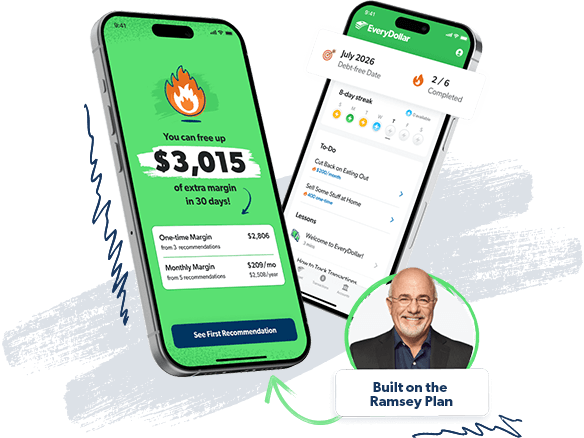
With EveryDollar, you can turn this estimate into a real, working zero-based budget. You’ll set up your categories, track your spending, and adjust as life changes—so you stay in control every single month.
That’s when you leave the paycheck-to-paycheck life in the rearview mirror. No more checking your balance at the checkout or going deeper into debt. When every dollar has a job, you can leave that stress behind and start leading your money with purpose.
For housing, aim for 25% or less of your take-home pay including rent or mortgage, insurance and taxes. Go higher than that and your whole budget gets tight real fast.
Food is one of your Four Walls (food, transportation, utilities and housing), so it’s a priority. If money’s tight, adjust your habits, not your priorities. When you’re tempted to eat out, just remind yourself that you have food at home!
There isn’t a set monthly percentage that we recommend (until Baby Step 4, when you invest 15% for retirement), but we do have goals for you to aim at. You’ll want to save up $1,000 for a starter emergency fund. After you pay off all your nonmortgage debt, you’ll save up 3–6 months of expenses. The key is to plan it—because if you don’t, it won’t happen.
We recommend giving 10% of your income, and you’ll list that first in your budget. If you wait to give what’s left over, you likely end up spending what you were going to give.
This category includes car payments, gas, insurance, maintenance, parking and public transit. If it moves you, it belongs here. We don’t have a set percentage for this—budget based on what you actually spend.
Keep this category small and specific. It’s for expenses that don’t fit anywhere else. But don’t turn it into a catchall. Every dollar needs a clear job.
The gap between what you earn and what you spend each month. Subtract expenses from income. A negative number means you’re overspending, zero means every dollar has a job, and a positive number means you have extra money to assign.
A way to budget where every dollar is planned before the month begins. You assign your income to giving, saving and spending until there’s $0 left—so nothing slips through the cracks.
Money you set aside for unexpected expenses like car repairs, medical bills or job loss. It acts as a safety net so you don’t have to rely on debt when life throws you a curve ball.
Money you save and invest over time so you can live without a paycheck later. It’s about building long-term security and giving yourself options for the future.
Your most important expenses: food, utilities, shelter and transportation. These come right after giving in your budget because they cover your basic needs and keep your life running.
Money left over after your planned expenses that doesn’t have a job yet. Put it to work paying off debt, building savings, or investing so it helps you reach your goals faster.
A specific section in your budget where you assign money for a planned monthly expense, like groceries or pet care.
A budget calculator shows exactly where your money is going. It breaks your income into categories like housing, food and savings so you can stop guessing and start making a plan.
Zero-based budgeting means every dollar is assigned to a category before the month begins. You plan your giving, saving and spending until your income minus your expenses equals zero. That zero doesn’t mean you’re broke—it means nothing gets wasted.
The 50/30/20 rule is broad and loose. It splits your after-tax income into three buckets: 50% for needs, 30% for wants, and 20% for saving and paying off debt.
A zero-based budget is detailed and intentional. Every dollar is assigned before the month starts so nothing slips through the cracks.
Keep your housing payment at 25% or less of your take-home pay—including rent or mortgage, insurance and taxes. Go higher than that, and your budget gets tight real fast.
Start with your take-home pay. Then give every dollar a job—food, housing, giving, savings—until you hit zero. Do it before the month begins.
The 7 Baby Steps are Dave Ramsey’s plan that millions have used to get out of debt and build wealth. Here’s how they work:
The goal is simple: Take control of your money, build your future, and live like no one else—so later you can live and give like no one else.
Want to learn more? Check out the 7 Baby Steps.
After you’ve saved up a $1,000 emergency fund, you’ll start using the debt snowball method to pay off debt.
Yes. It’s completely free. No sign-up. No catch.
Ready to take control of your money? Stop tossing and turning at night wondering where your paycheck disappeared to.
Normal is broke. Be weird. Break the cycle today. Start EveryDollar for free and tell your money where to go so you can finally experience financial peace.